# Connected apps and OAuth
> See which third-party apps and AI clients can access your business, what they were allowed to do, and revoke access at any time.
Canonical: https://docs.getonebooks.com/integrations/connected-apps/
Language: en
Documentation index: https://docs.getonebooks.com/llms.txt
OneBooks is an OAuth 2.0 provider. Apps built on the developer platform — point-of-sale systems, AI clients such as Claude, ChatGPT and OpenClaw, partner tools — ask for access to your business through a consent screen, get only the scopes you approve, and can be cut off with one click.
## Authorising an app
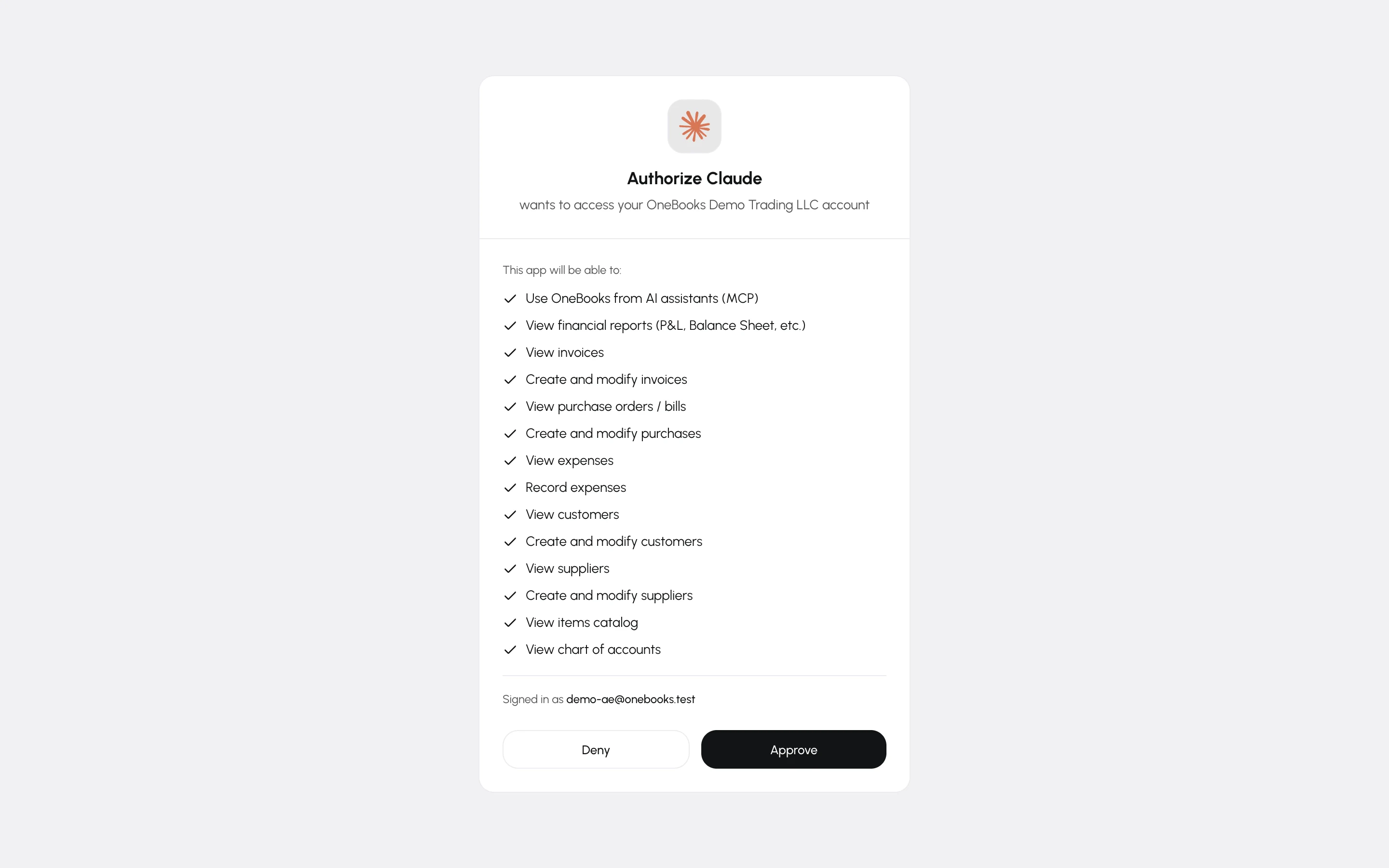
When an app asks to connect, OneBooks opens a consent page listing the app and the access it requests (for example *View invoices*, *Create and modify invoices*, *View financial reports*). Sign in if needed, choose the business, and select **Approve** or **Deny**. Access is tied to that business; switching your active business later requires a new consent.
## Approving a device
Some native apps — a desktop or point-of-sale program with no browser of its own — show a short code instead of opening the consent page. Go to **app.getonebooks.com/device**, enter the code exactly as shown, check the app name and business, and select **Approve**. The app notices within a few seconds; the page tells you when it is connected and you can close it.
## Managing connected apps
**Apps → Apps** lists every app you have authorised with the date access was granted and when it was last used.
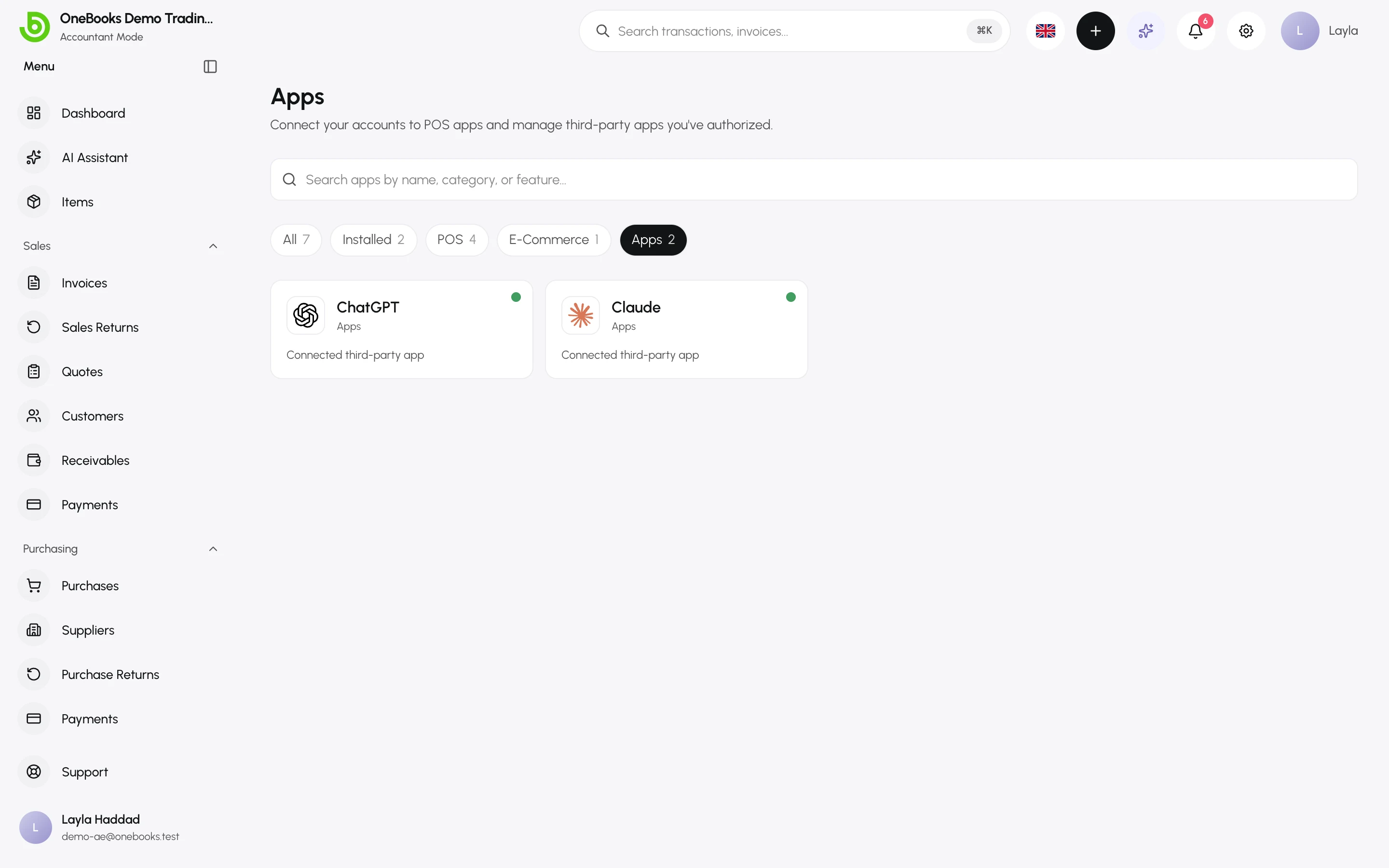
- **Revoke** removes the app's access immediately; its tokens stop working.
- Revoking does not delete anything the app already created — those are normal documents in your books.
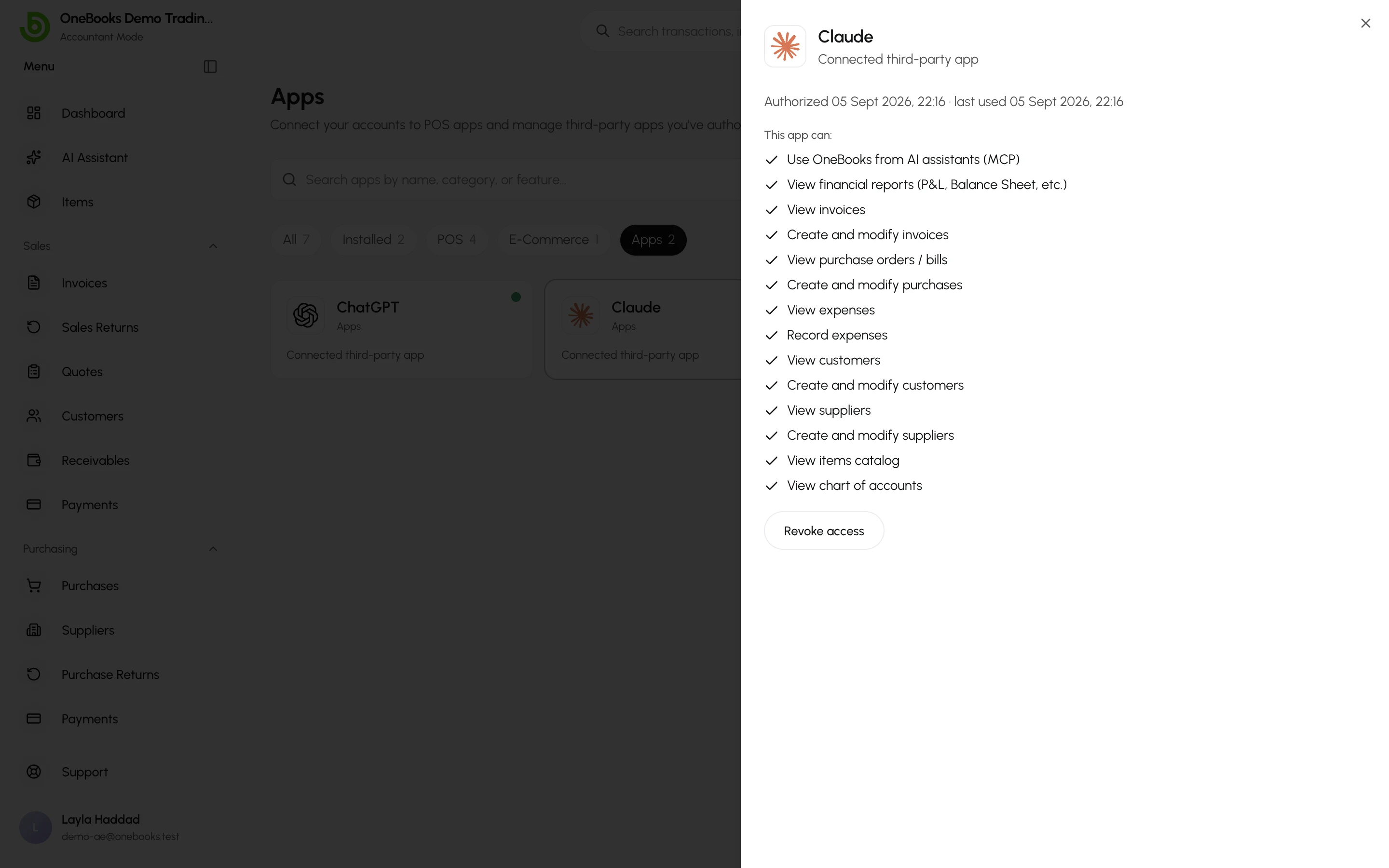
Select a card to see exactly what the app can do and when it was last used.
## Permissions still apply
A connected app can never do more than the user who authorised it: scopes are checked on every request, and the user's role and permissions are checked too. AI clients additionally go through the proposal flow — see [Connect Claude, ChatGPT and other AI agents](https://docs.getonebooks.com/ai/mcp/).
## Building an app
Register on the developer portal at **developer.getonebooks.com** for OAuth credentials, sandbox businesses, scopes and the API reference.
## Related
- [LithosPOS](https://docs.getonebooks.com/integrations/lithospos/)
- [Users, roles and permissions](https://docs.getonebooks.com/settings/users-roles/)