

Prices, units and tax defaults
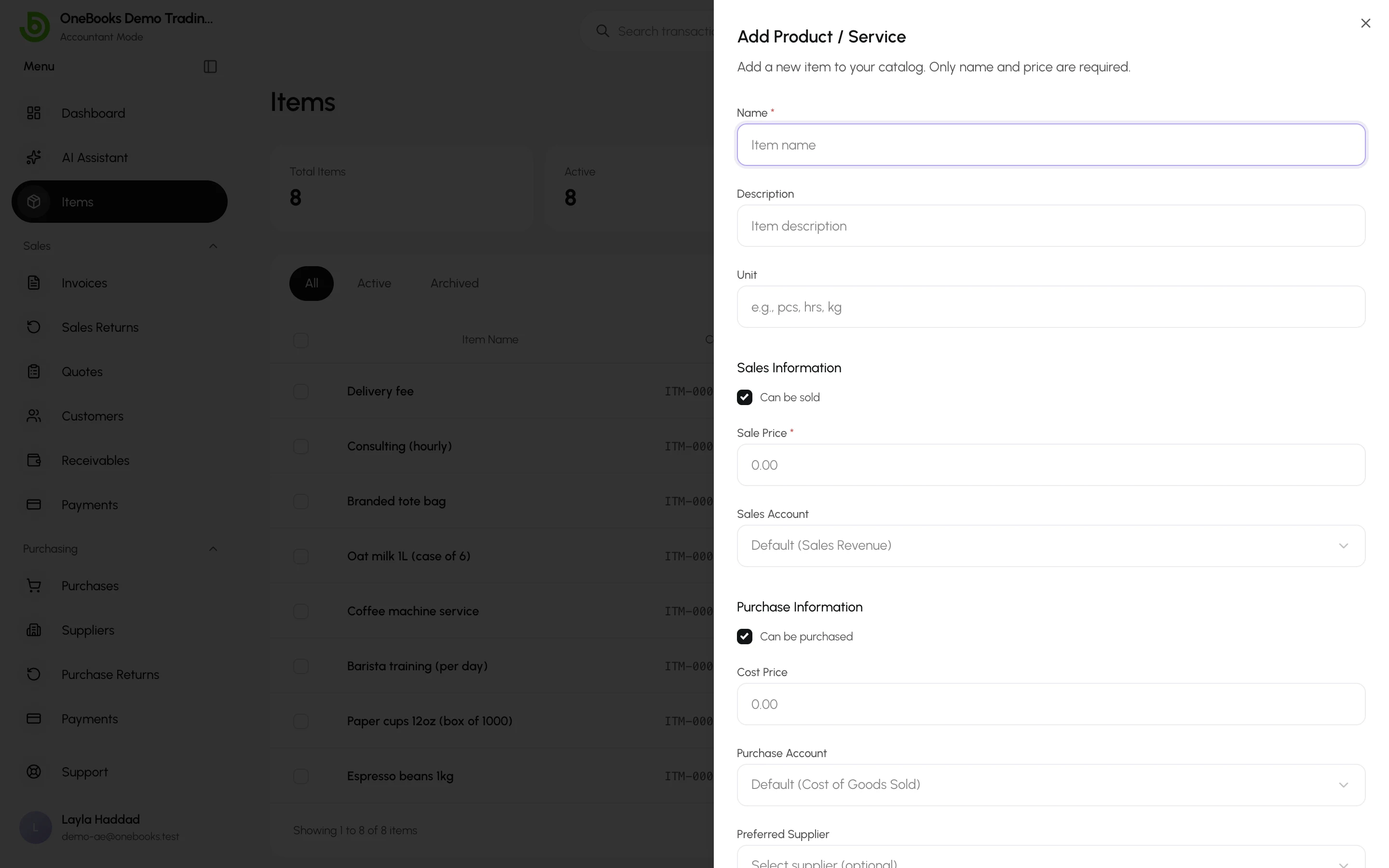
An item stores defaults. When you pick it on a document, the defaults are copied onto the line, and you can still change the line — the item itself is not affected.
What flows where
Section titled “What flows where”| Item field | Invoice or quote line | Purchase line |
|---|---|---|
| Description | Prefilled | Prefilled |
| Unit | Shown next to quantity | Shown next to quantity |
| Sale price | Unit price | — |
| Cost price | — | Unit price |
| Default tax rate | Tax % | Tax % |
| Sales account | Revenue account the line posts to (default 4000 Sales Revenue) | — |
| Purchase account | — | Account the line posts to (default 5000 Cost of Goods Sold) |
| Preferred supplier | — | Suggested supplier |
Tax-inclusive or exclusive prices
Section titled “Tax-inclusive or exclusive prices”Prices follow your business’s Tax Inclusive Pricing setting: with it on, the sale price you type includes tax; with it off, tax is added on the document. Changing the setting does not rewrite stored prices — review them if you switch. See Tax settings.
Services and goods
Section titled “Services and goods”Untick Can be purchased for a service you only sell, or Can be sold for something you only buy. Each picker shows only the relevant items.