

Ask for reports and figures
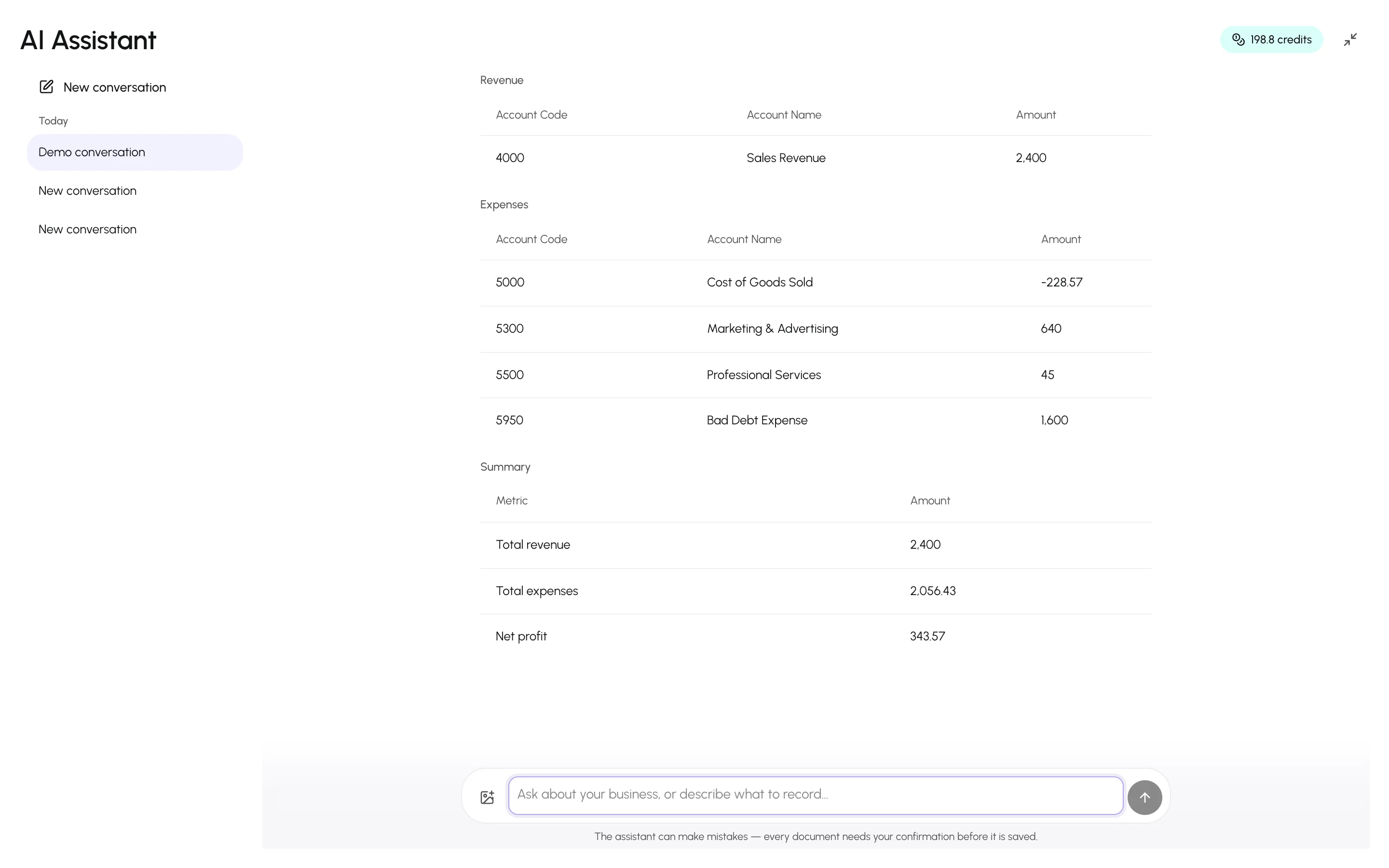
Every number the assistant states comes from a report it ran against your ledger for that question. It never estimates. When a report has many rows, the assistant summarises the highlights and the full data is in the card.
Asking
Section titled “Asking”Plain questions work best, with the period when it matters:
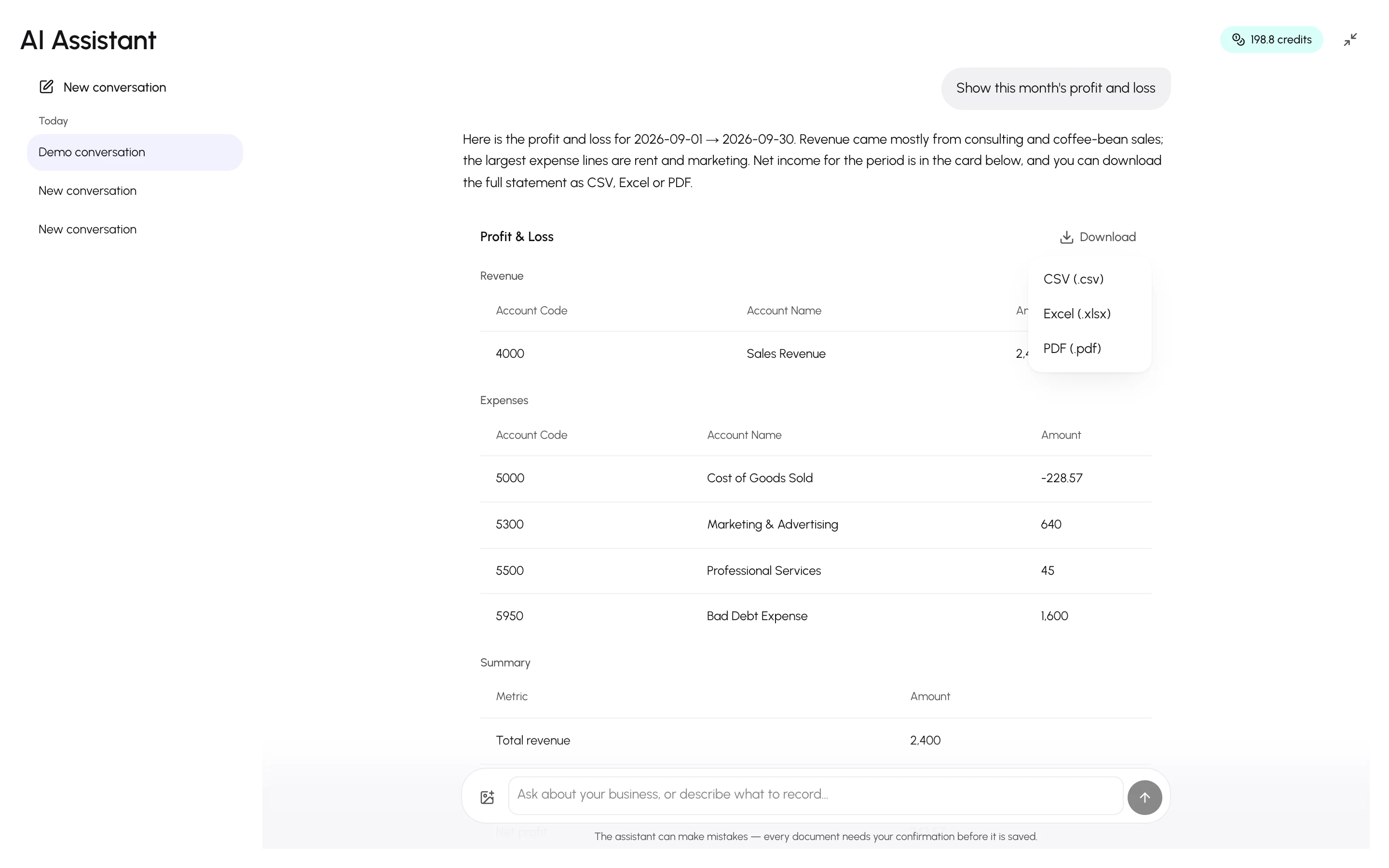
- “Show this month’s profit and loss.”
- “Who owes us more than 60 days?”
- “What is our VAT position for Q2?”
- “List unpaid invoices for Blue Marina Yachts.”
- “Show a revenue chart for this quarter.”
- “How much cash do we have in the bank right now?”
- “Show the seasonal trial balance from April to June.”
- “What is the balance of the Main bank account?”
- “Which supplier payments did we make last month?”
- “List this quarter’s contra transfers between cash and bank.”
- “How much unapplied credit does Gulf Tech Solutions have?”
- “List the open quotes for Blue Marina Yachts.”
- “Show the journal entries posted last week.”
- “Which lines on the March bank statement are still unmatched?”
- “How are we tracking against budget this month?”
- “Which expenses are over budget?”
Periods follow your fiscal year; “this quarter” and “year to date” mean the same as in the Reports area.
Reports arrive as cards under the answer: tables for statements and lists, charts for trends. Cards stay in the conversation, so you can scroll back to them later.
Downloading
Section titled “Downloading”Every card has a Download menu with CSV, Excel and PDF. Long reports are truncated in the chat but complete in the download. For a single record — an invoice, quote, credit or debit note, purchase, expense, journal entry, item, customer, supplier or bank statement — the card shows the record; downloads carry the table rows.
- Ask follow-ups in the same conversation (“now compare with last quarter”) — the assistant keeps the context.
- If a figure seems off, ask “which invoices make up that number?” — it will list them.
- For the general ledger, ask for a narrow date range or one account; the assistant will say so if a request is too broad.