

A purchase records a supplier’s bill (or your purchase order). As a draft it is editable and posts nothing; finalizing it means you have received the goods or accepted the bill — the cost, the input tax and the amount owed are posted, and the bill appears in payables.
Create a purchase
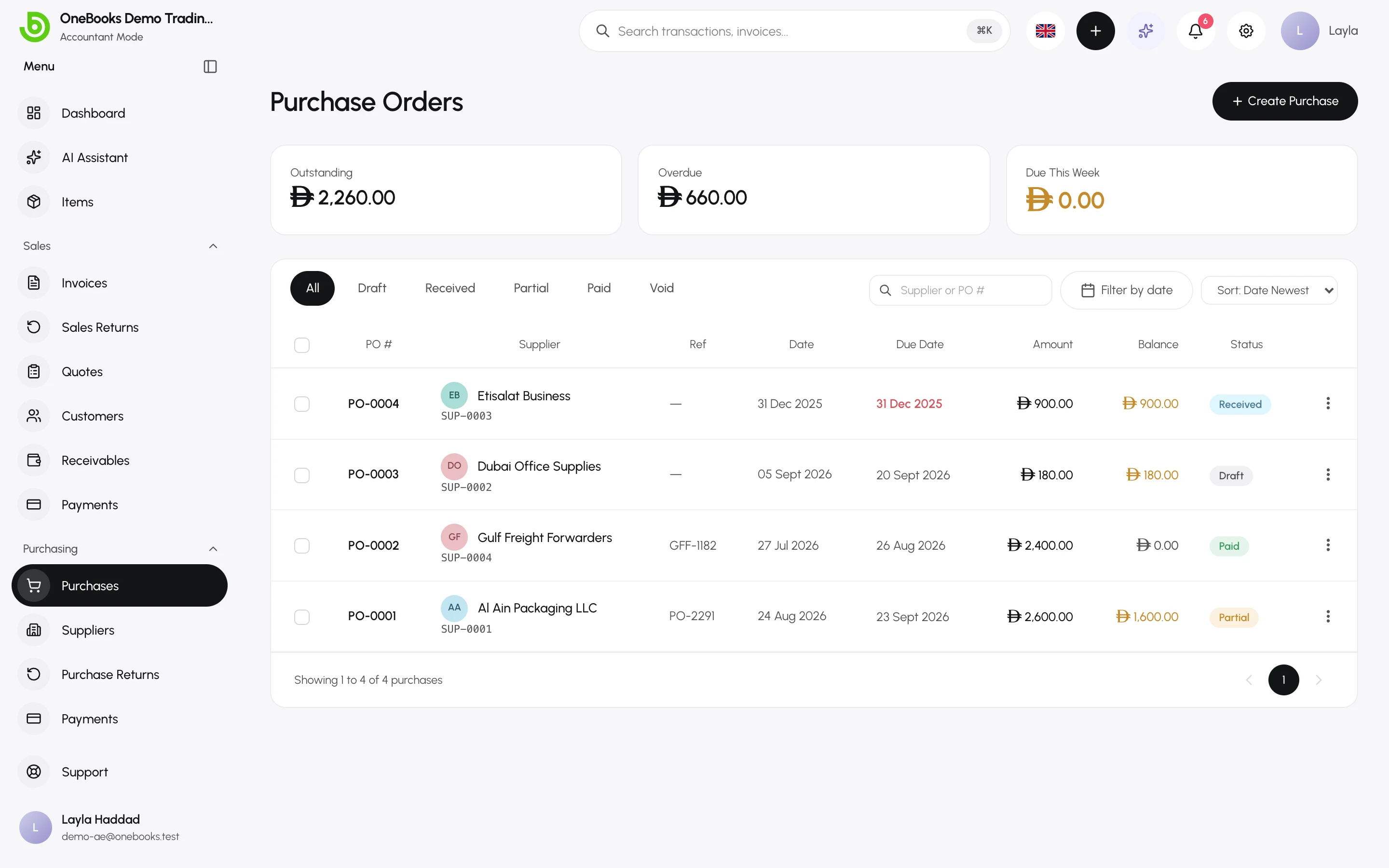
Section titled “Create a purchase”- Open Purchasing → Purchases and select Create Purchase (or Quick Create → Purchase).
- Pick the supplier. Add the supplier reference (their invoice number) and check the due date, which defaults from the supplier’s payment terms.
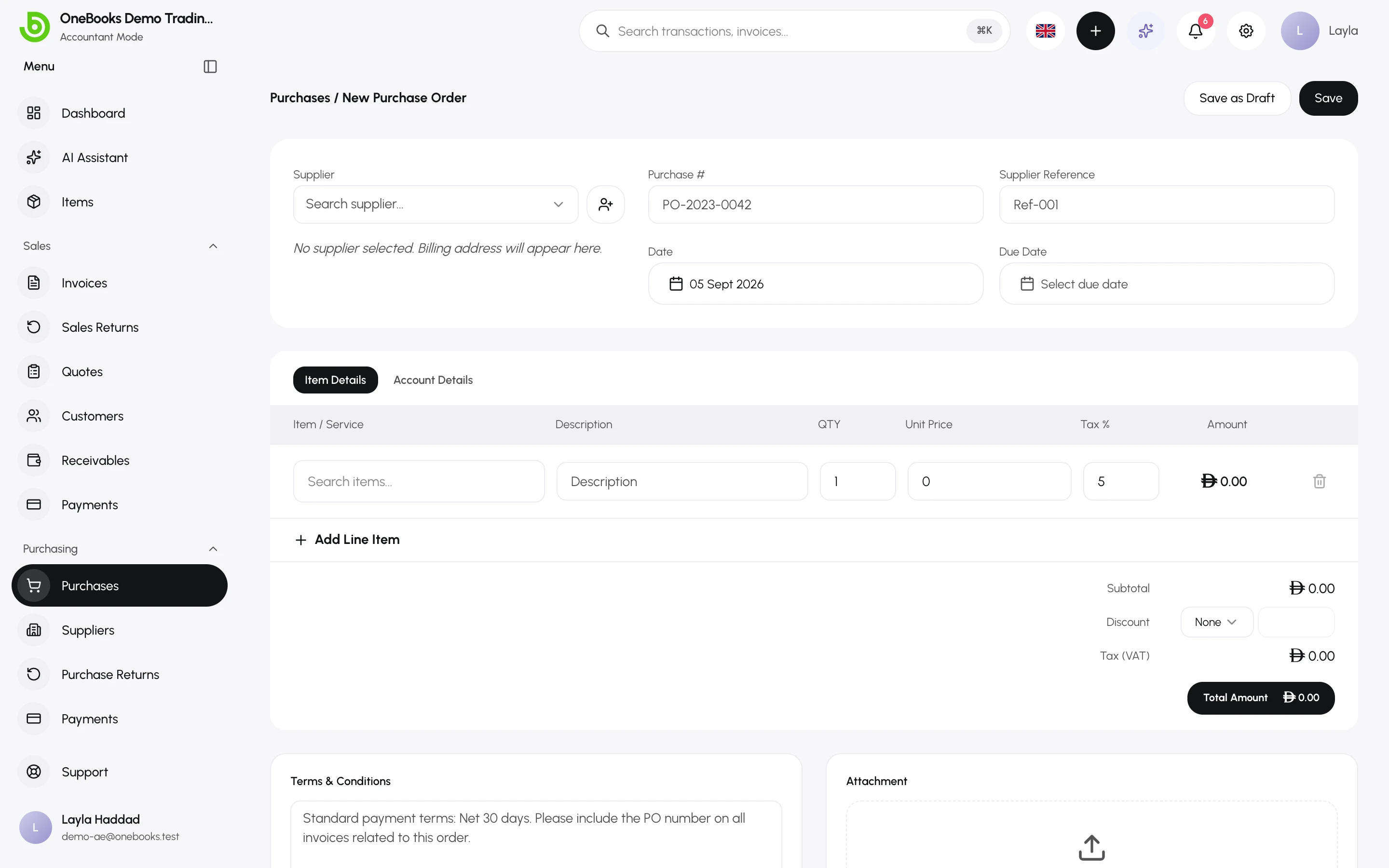
- On the Item Details tab, add lines: an item from your catalog (its cost price and tax fill in) or a description, plus quantity, unit price and tax %.
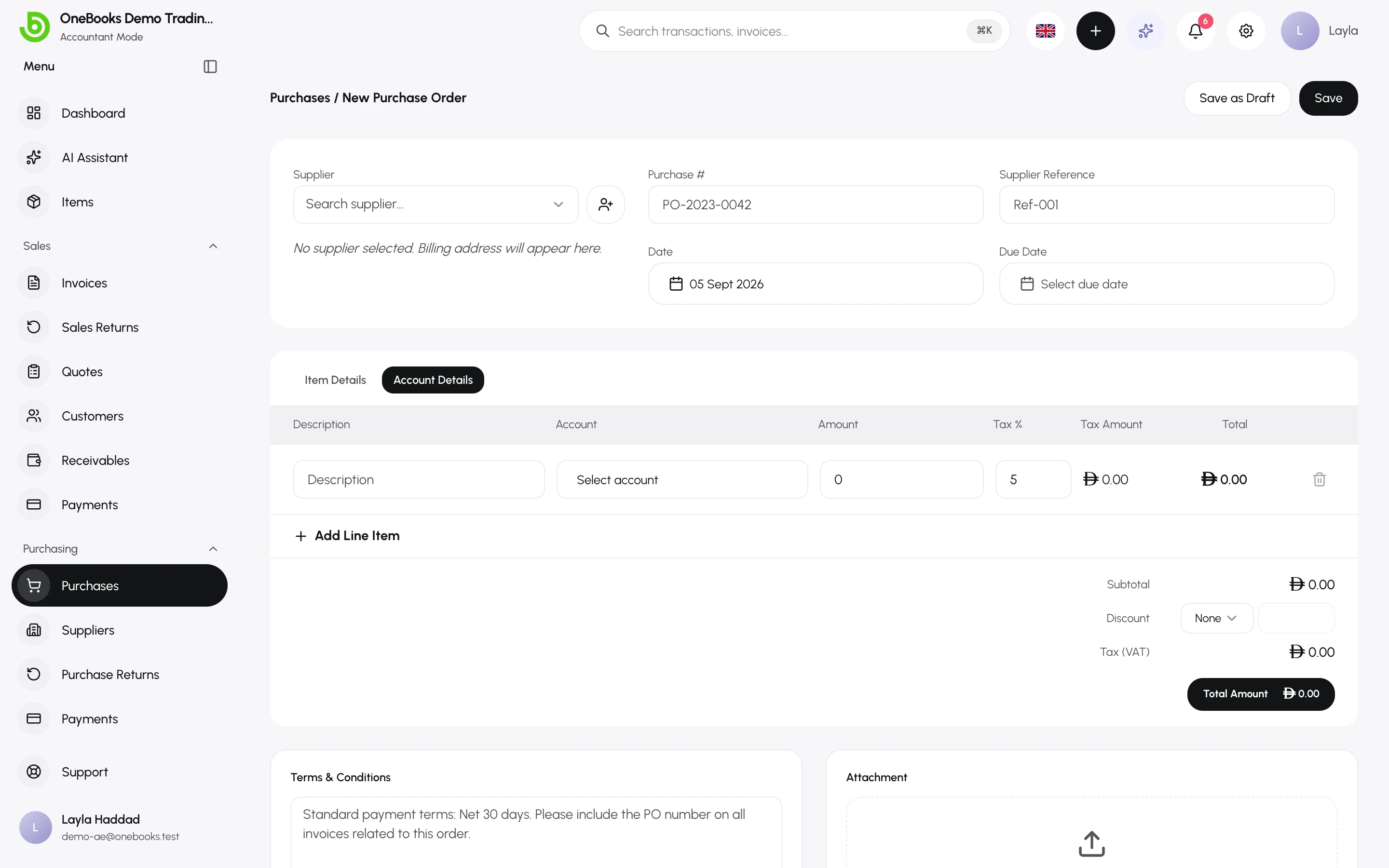
- On the Account Details tab, choose which account each line posts to — see below.
- Add a discount and notes if needed, then Save as Draft or Save PO.
Which account each line posts to
Section titled “Which account each line posts to”By default every line posts to 5000 Cost of Goods Sold. On Account Details you can route a line to any expense or asset account instead — a laptop to 1500 Fixed Assets, a marketing invoice to 5300 Marketing & Advertising. Tax and the payable are unaffected by the choice.
Reverse charge and India
Section titled “Reverse charge and India”Switch on Reverse charge for supplies where you must self-assess the tax (imports of services, GST reverse-charge purchases). Indian businesses also record the supplier GSTIN and place of supply for GSTR-3B. See India.
Finalize
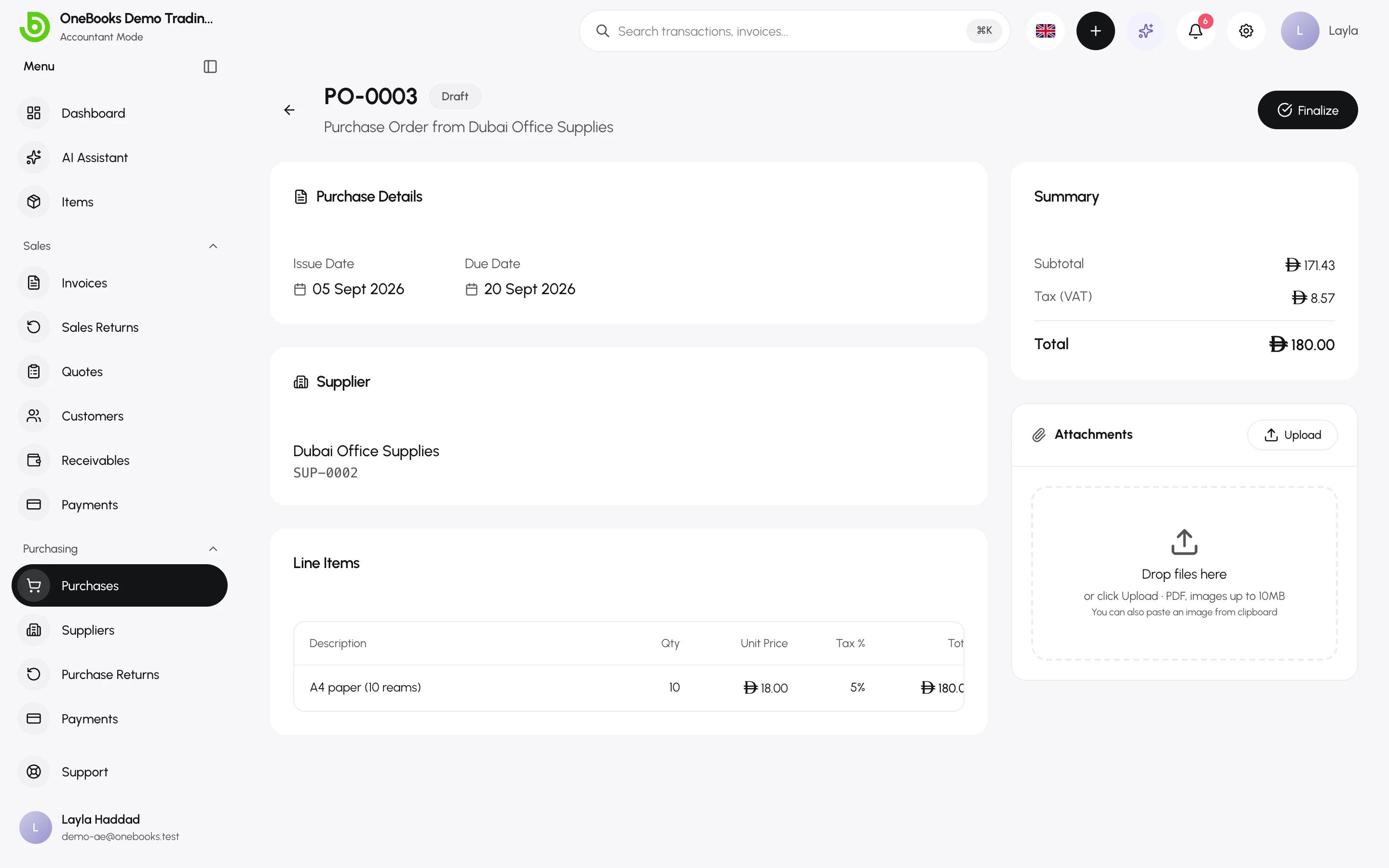
Section titled “Finalize”Open the draft and select Finalize. The status becomes Received, the number is final and the entry is posted.
After finalizing
Section titled “After finalizing”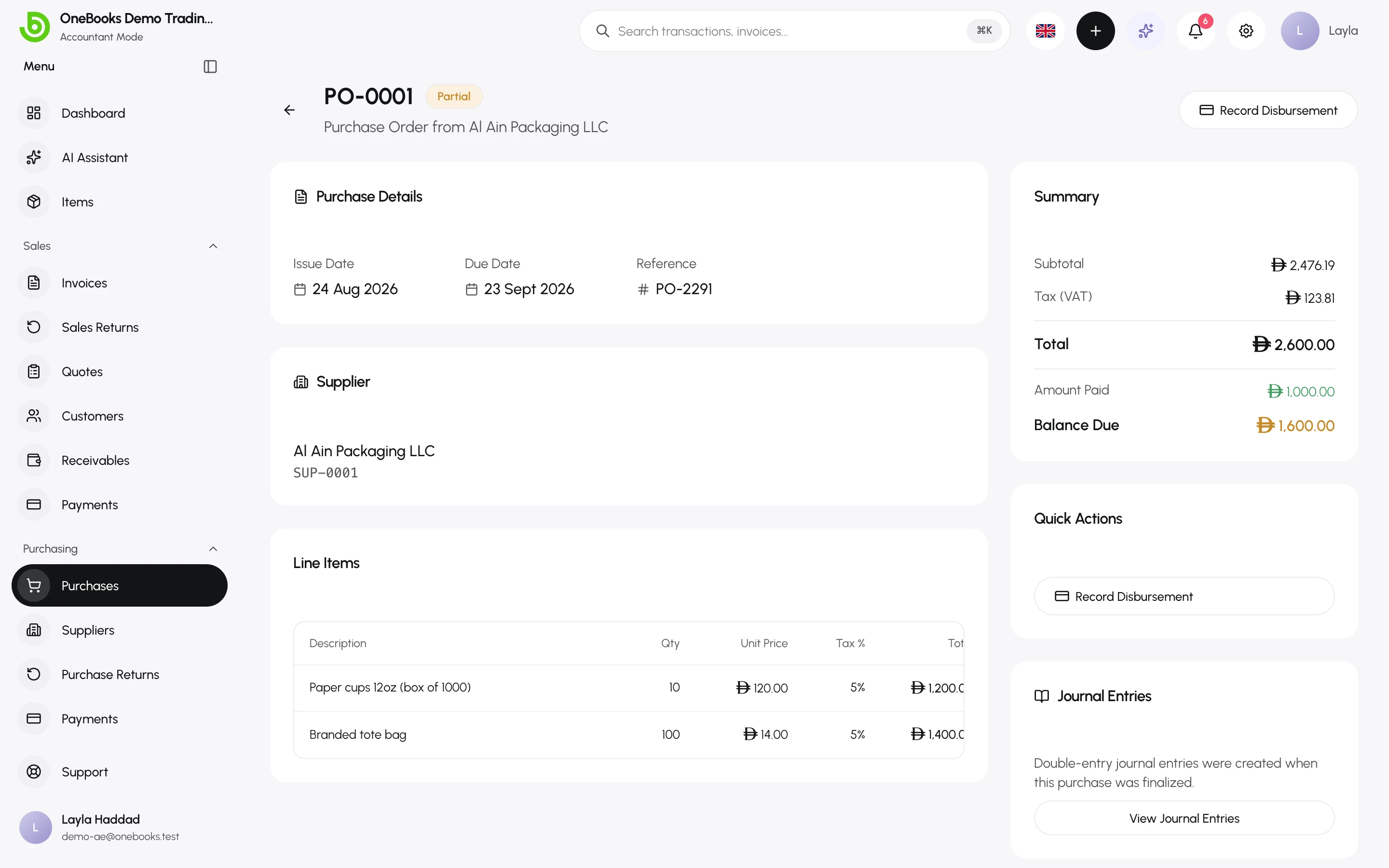
- Record Disbursement — pay the bill; see Supplier payments.
- Attachments — attach the supplier’s PDF bill.
- View Journal Entries (Accountant mode) shows the posted lines.
- Void — reverses a received purchase that has no payments or returns (permission purchases.void).
Statuses
Section titled “Statuses”Draft → Received → Partially Paid → Paid; Void for a reversed purchase.