

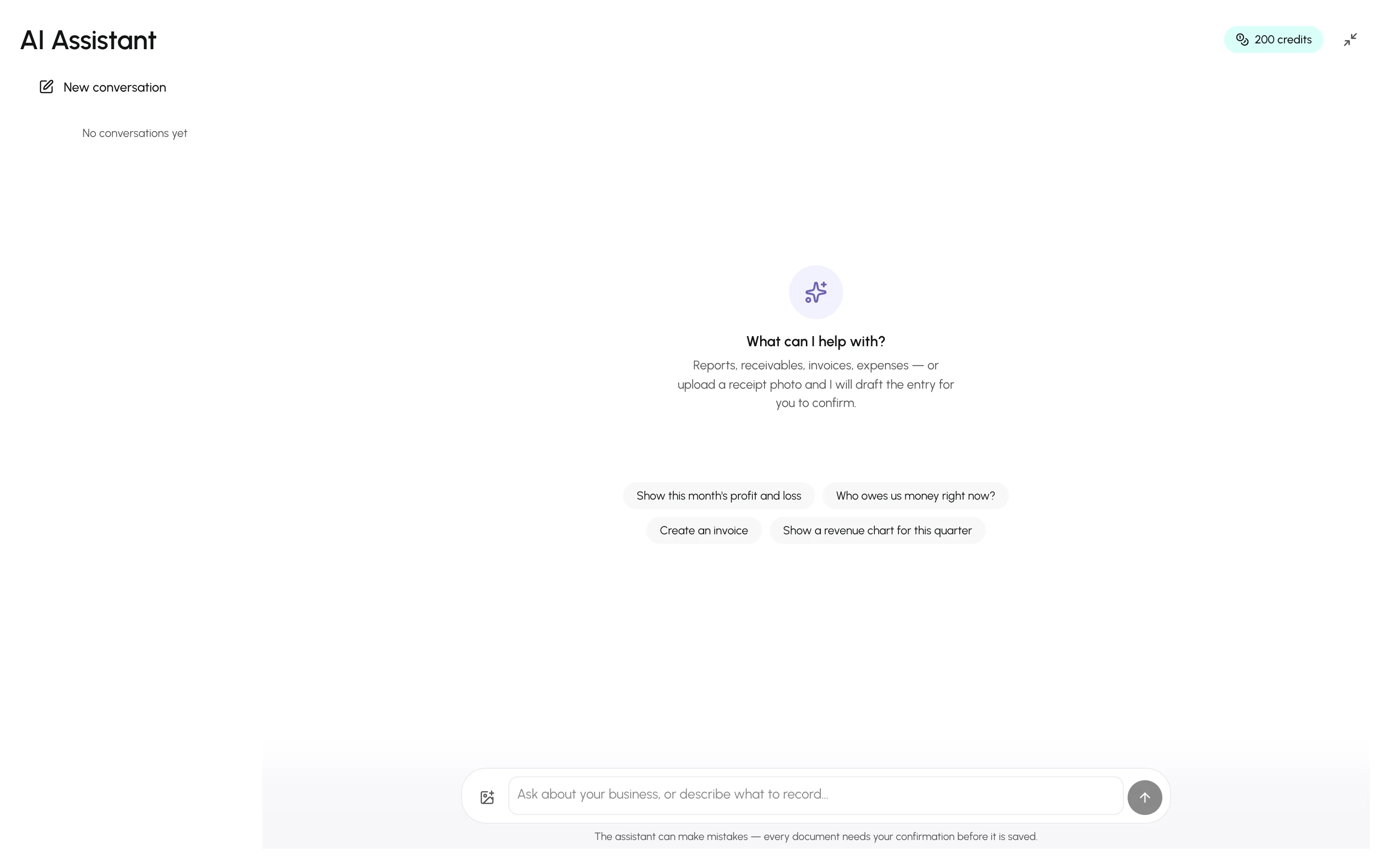
The AI Assistant in the sidebar is a chat that works only on your business’s books. It answers with figures pulled from the ledger at that moment, renders reports as cards you can download, and prepares quotes, invoices, credit and debit notes, purchases, expenses, payments, transfers, journal entries, bank reconciliations, budgets, accounts, items, customers and suppliers as proposals that you confirm with a button.
What it can do
Section titled “What it can do”- Report on your books — profit and loss, balance sheet, cash flow, trial balance, seasonal trial balance, ledgers, account balances, receivables and payables aging, tax summaries, and lookups of quotes, invoices, credit and debit notes, purchases, expenses, customer and supplier payments, contra transfers, journal entries, bank statements, customers, suppliers, items and budgets — including the detail of a single record — and budget vs actual with its insights. See Ask for reports.
- Draft documents — “Create an invoice for Al Futtaim for 20 kg of espresso beans” produces a proposal card; nothing is saved until you press Confirm. Proposals cover new quotes, invoices, purchases, expenses, accounts, items, customers and suppliers; turning a quote into a draft invoice; edits to a draft invoice or purchase, an item, an account, or a customer’s or supplier’s details; sending a draft invoice or finalizing a draft purchase; credit and debit notes against an existing invoice or purchase; customer and supplier payments and their allocations; contra transfers between cash and bank; manual journal entries; a budget for a fiscal year and changes to its amounts; and bank reconciliation — entering a statement, matching its lines and reconciling it. By default, only an owner or admin can propose payments, allocations, contra transfers, journal entries, account changes and budgets. Any team member who can manage customers or suppliers — every member, by default — can propose an edit to their details. See Draft documents with proposals.
- Read receipt photos — attach an image and it extracts the date, supplier, lines and tax into a proposal. See Receipt photos.
- Explain how to use OneBooks — “how do I write off an invoice?” searches this documentation and answers with links.
- Reply in your language — it answers in the language your interface is set to (English, Arabic, Spanish, French or Portuguese), or in the language you write in.
What it cannot do — by design
Section titled “What it cannot do — by design”- It cannot delete, void or refund anything, and it never edits a posted document: the only edits it can propose are to a draft invoice or purchase, an item, an account, a budget’s amounts, or a customer’s or supplier’s details. Every other correction stays in the app, where the rules are enforced.
- It cannot save a document without a human pressing Confirm on the proposal card.
- It only sees this business. Nothing from other businesses or other users’ conversations.
- It refuses off-topic requests (general knowledge, coding, creative writing) so credits are spent on your books.
Full detail: Safety, privacy and limits.
Starting a conversation
Section titled “Starting a conversation”- Open AI Assistant in the sidebar.
- Pick a suggestion — “Show this month’s profit and loss”, “Who owes us money right now?” — or type your own question in the composer and press Enter.
- Conversations are kept in the rail on the side, grouped by day; New conversation starts a fresh thread and Delete conversation removes one (confirmed documents stay in your books).
Credits
Section titled “Credits”Each business receives a weekly allowance of AI credits set by its plan — from 100 a week on Free to 3,000 on Premium — resetting on the weekday and hour it signed up. A typical question costs from a fraction of a credit to a few credits, depending on how much data the assistant reads and writes. The chip in the header shows the balance and the renewal date. See Credits and limits.
Connecting Claude, ChatGPT and other agents
Section titled “Connecting Claude, ChatGPT and other agents”The same capabilities are available to Claude, Claude Code, ChatGPT, OpenClaw and any other MCP client through OneBooks’ MCP server, with the same confirmation rule. See Connect Claude, ChatGPT and other AI agents.