

A supplier payment records money paid out and settles one or more purchases. Record it from the purchase when it pays that bill, or from Purchasing → Payments when one transfer covers several bills.
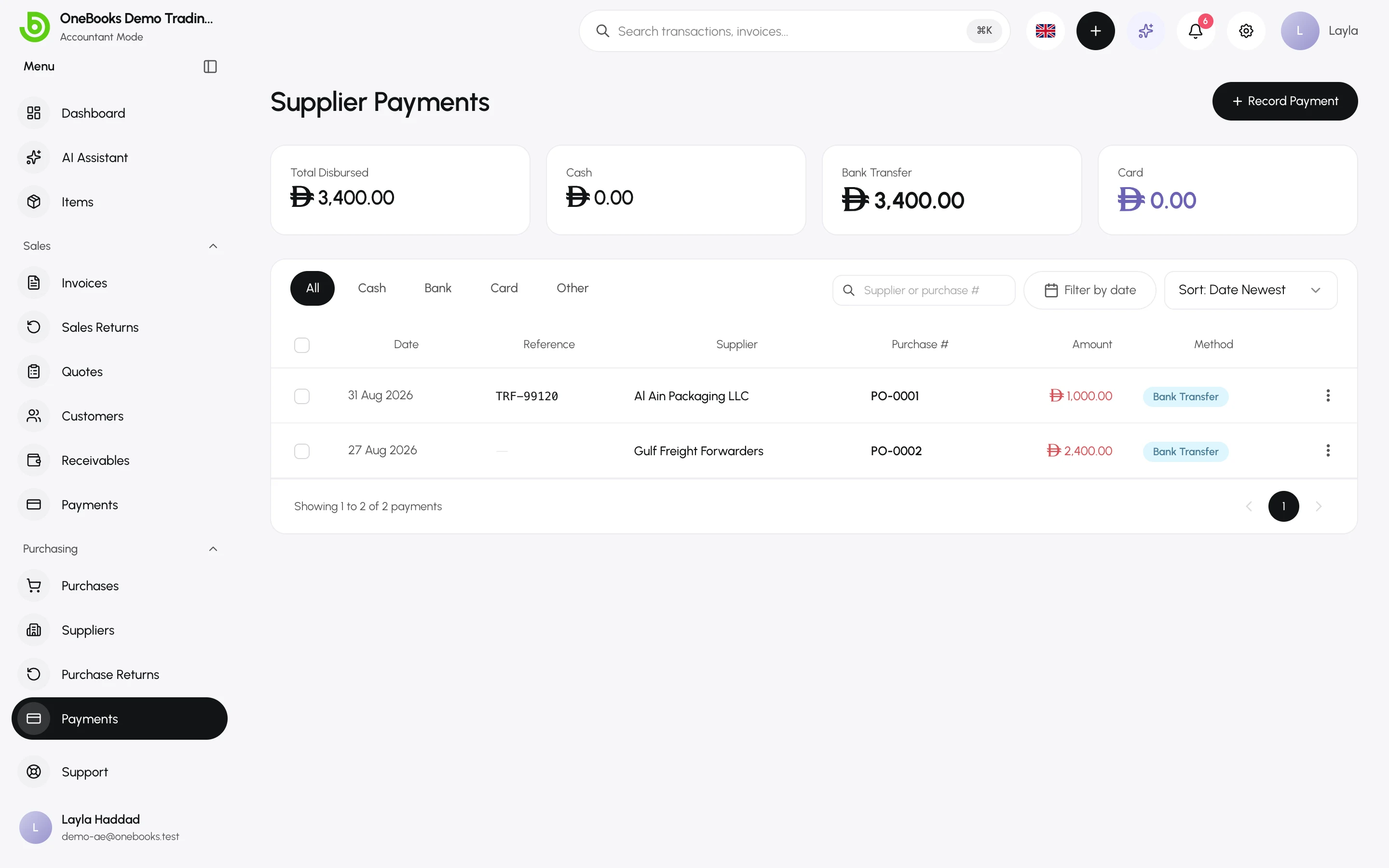
Pay a bill
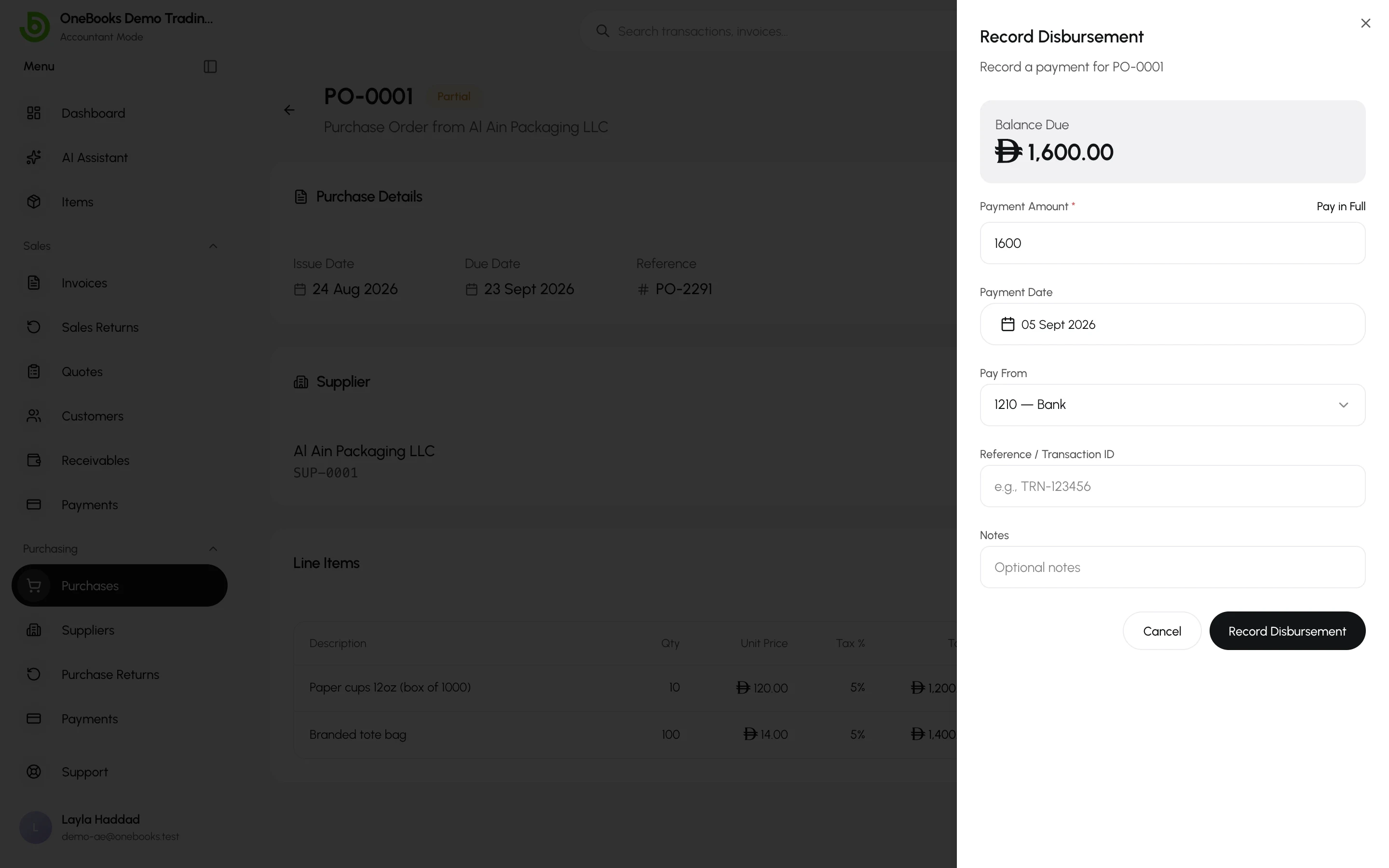
Section titled “Pay a bill”- Open the purchase (Received or Partially Paid) and select Record Disbursement.
- Enter the amount (the balance is proposed; a smaller amount is a part payment), the date, the method (Cash, Bank Transfer, Card, Other) and a reference.
- Choose the cash or bank account the money left.
- Select Save.
The purchase becomes Partially Paid or Paid. Paying more than the balance is rejected.
Pay several bills at once
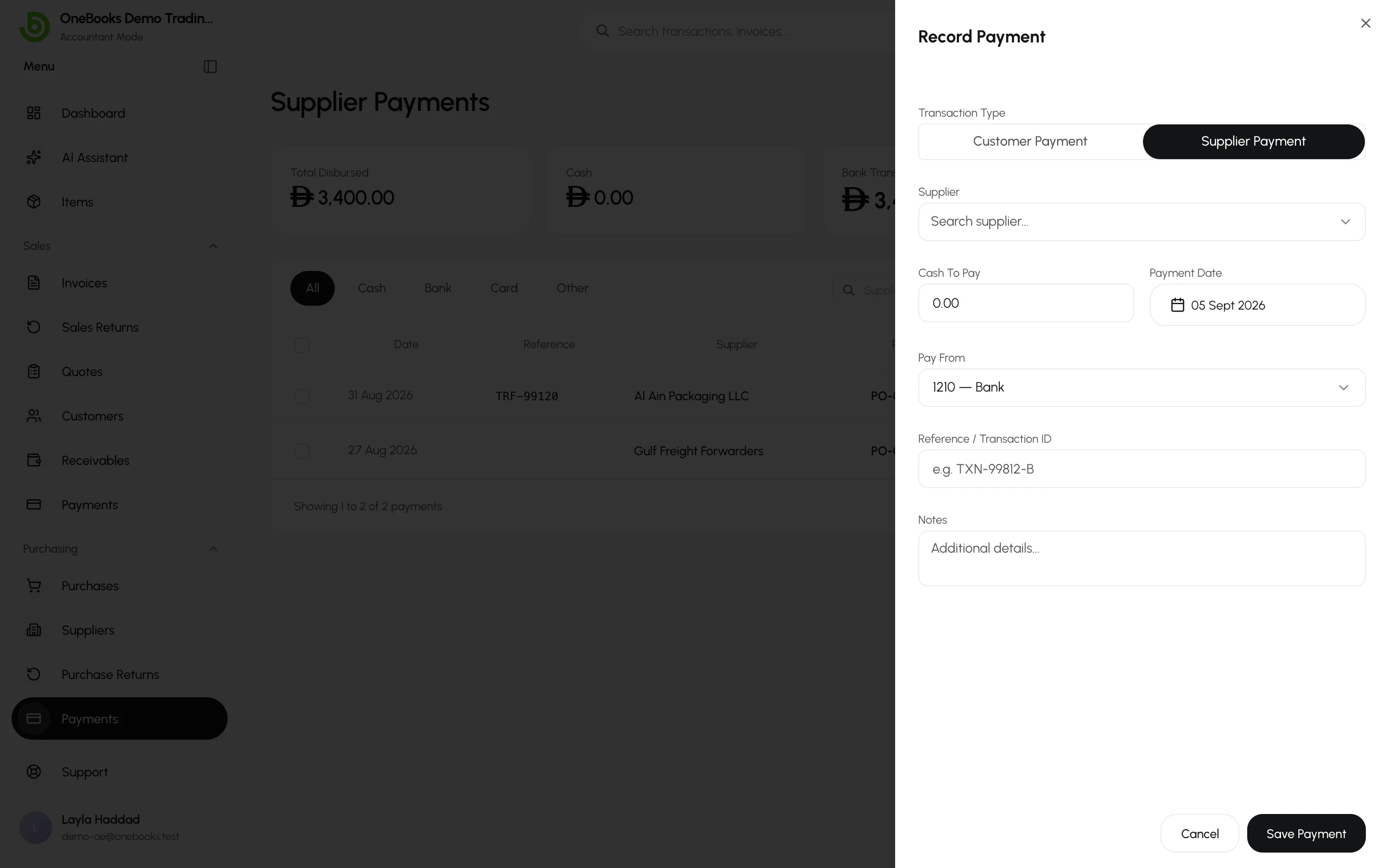
Section titled “Pay several bills at once”Open Purchasing → Payments, select Record Payment, pick the supplier, enter the total, and allocate it across open bills. Any remainder stays as unapplied credit on the supplier.
Receipts and deletion
Section titled “Receipts and deletion”Each payment has a receipt PDF (Download Receipt in its actions). Deleting a payment (permission supplierPayments.delete) reverses its entry and reopens the bills it settled.