

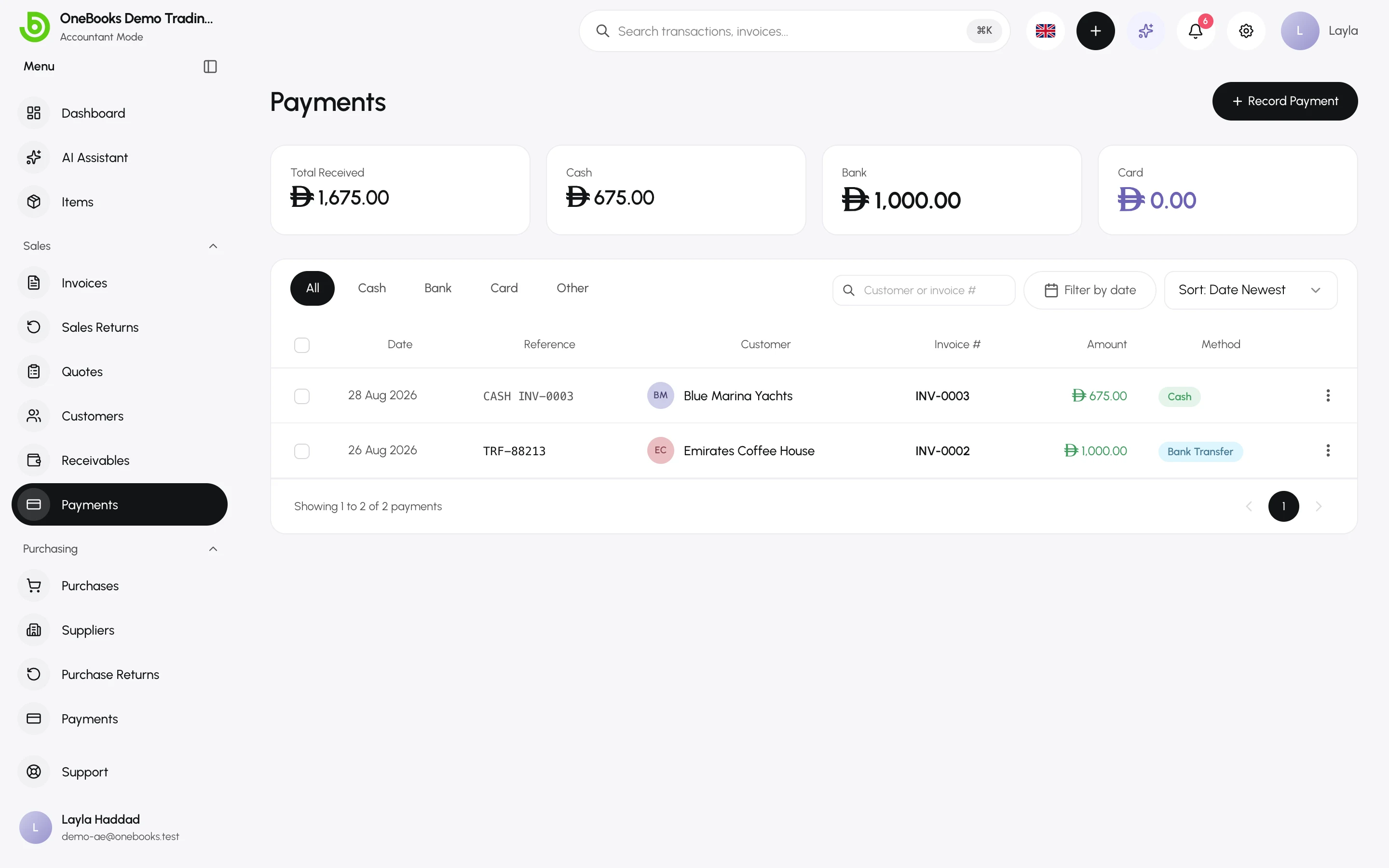
A payment records money received from a customer and settles one or more invoices. Record it from the invoice when you know which invoice it pays, or from Sales → Payments when one transfer covers several invoices.
Record a payment against an invoice
Section titled “Record a payment against an invoice”- Open the invoice (status Sent or Partially Paid) and select Record Payment.
- Enter the amount — the full balance is proposed; a smaller amount records a partial payment.
- Set the payment date, the method (Cash, Bank Transfer, Card, Other) and a reference such as the bank transaction ID or cheque number.
- Choose the cash or bank account the money went into (defaults to Cash for cash, Bank for the others).
- Select Save.
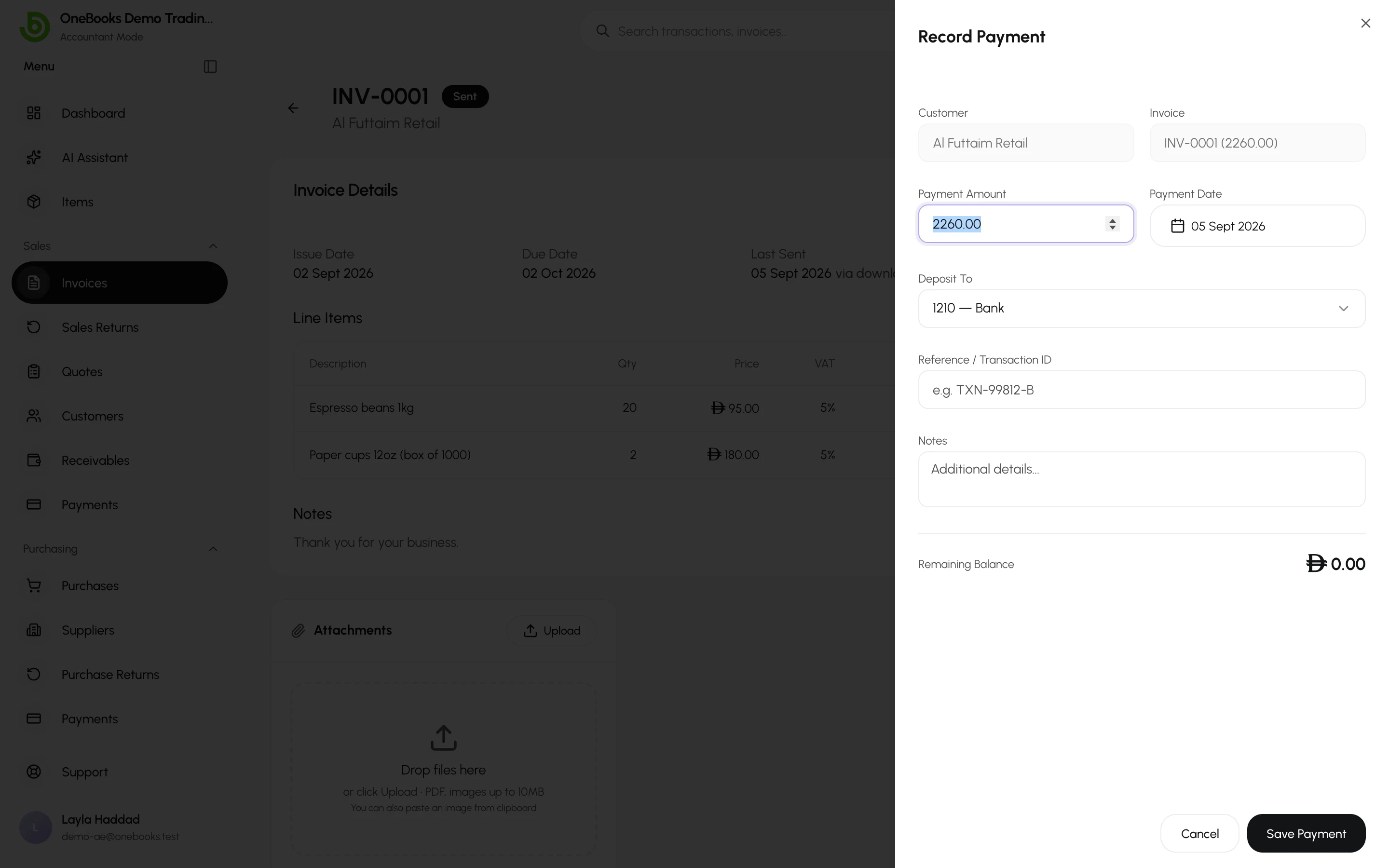
The invoice becomes Partially Paid or Paid. An amount larger than the balance is rejected — record the extra as a standalone payment instead.
Record a payment for several invoices
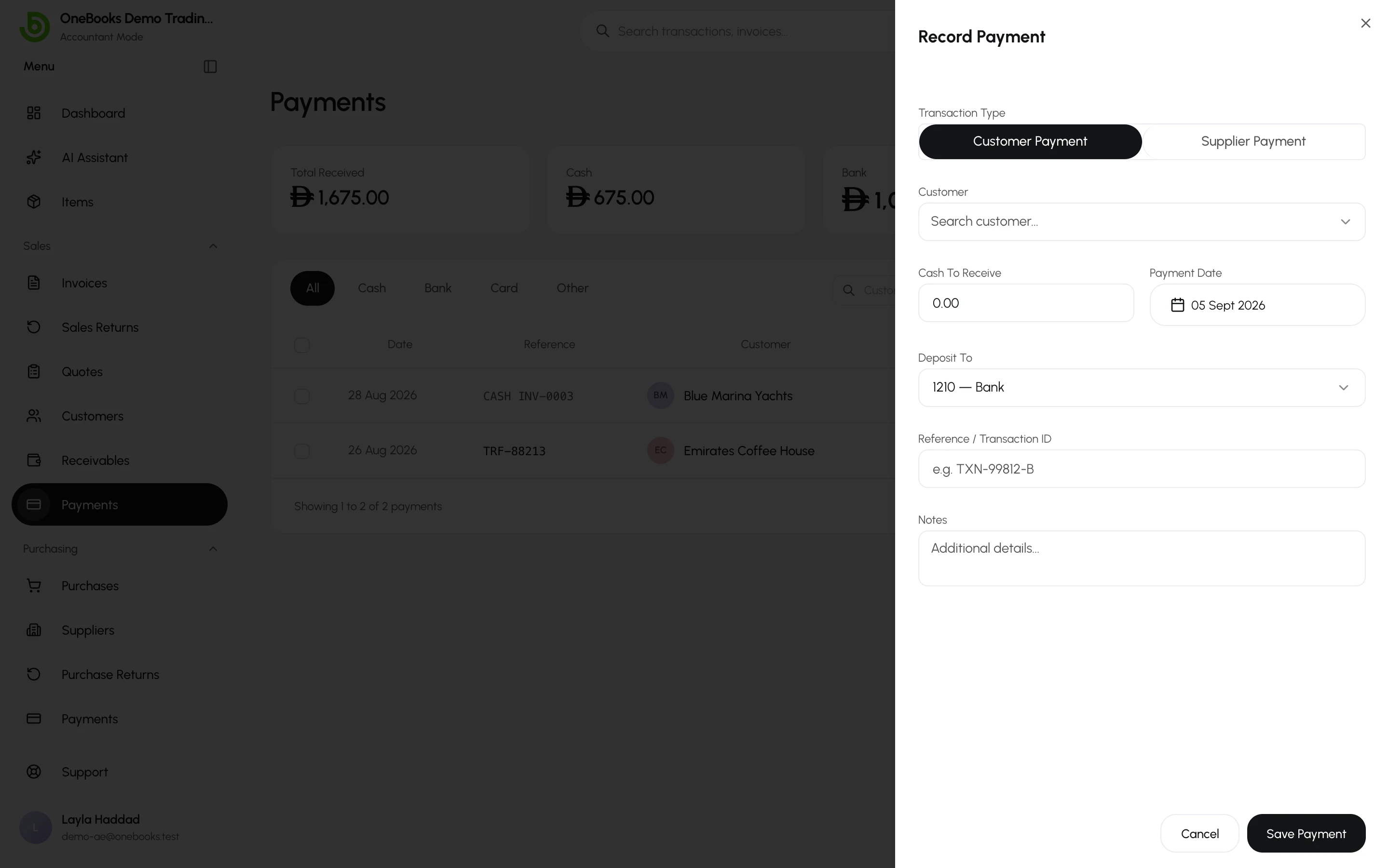
Section titled “Record a payment for several invoices”- Open Sales → Payments and select Record Payment.
- Pick the customer, enter the total amount, date, method and reference.
- Allocate the amount across the customer’s open invoices — oldest first is proposed. Any remainder stays as unapplied credit on the customer.
- Select Save.
Unapplied credit and credit notes
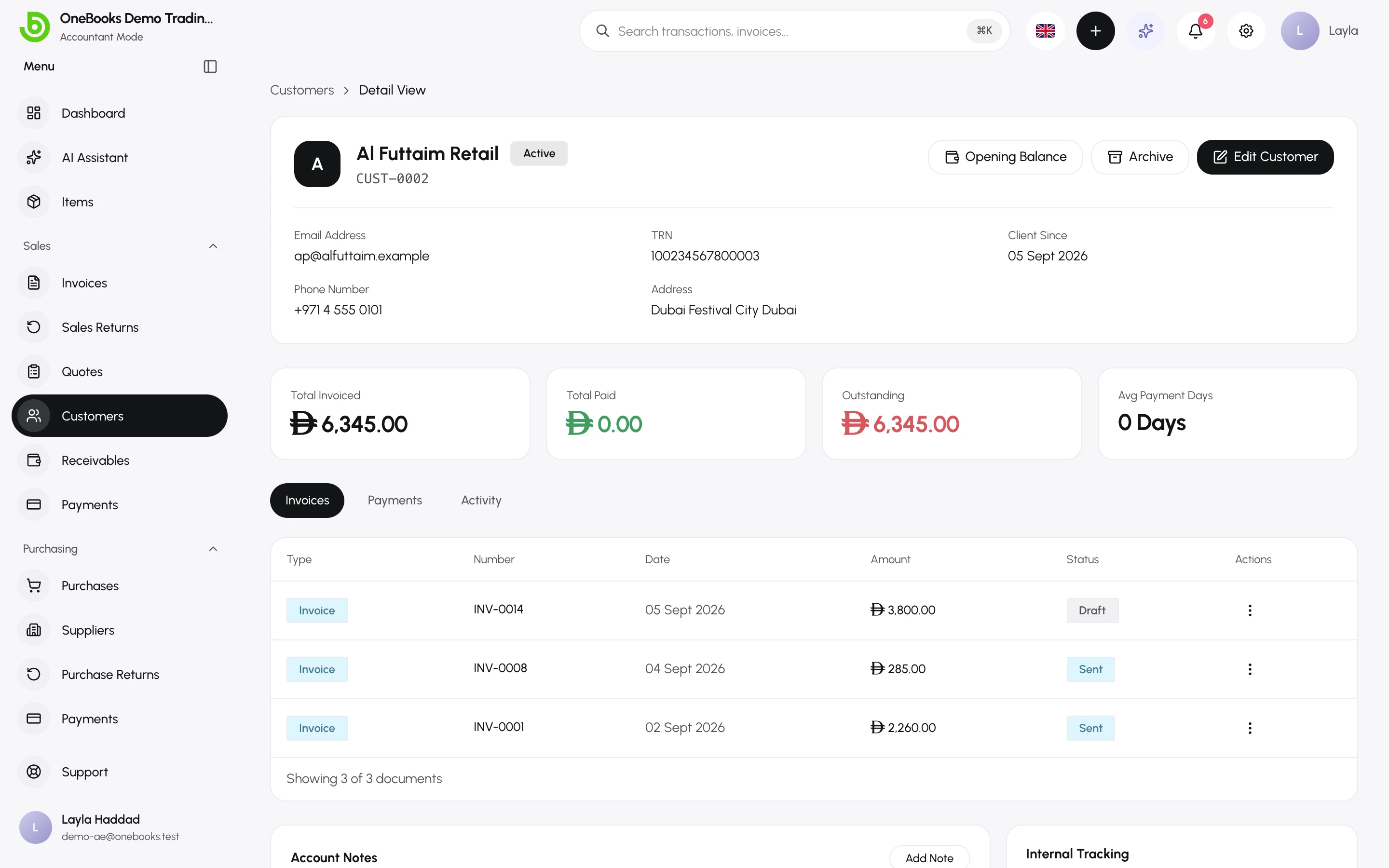
Section titled “Unapplied credit and credit notes”A customer page shows a banner when money is waiting to be applied — from a standalone payment or a confirmed credit note. Select Apply credit to net it against open invoices.
Receipts
Section titled “Receipts”Every payment has a receipt PDF — open the payment’s actions and select Download Receipt. Receipts use the Receipt print template.
Delete a payment
Section titled “Delete a payment”Deleting a payment (permission payments.delete, owners and admins by default) reverses its ledger entry and reopens the invoices it settled — balances and statuses are restored in the same step. Use it for a payment recorded by mistake; a bounced payment is better recorded as a new negative event by deleting and re-recording when the money actually arrives.