

OneBooks is cloud accounting software for small and medium businesses. You issue quotes and invoices, record purchases and expenses, reconcile your bank, and get live financial reports — while a real double-entry ledger runs underneath, so an accountant can pick up the same books without re-entering anything.
Who OneBooks is for
Section titled “Who OneBooks is for”- Business owners and managers who want to invoice, get paid and see profit without learning accounting. Use Simple mode: money in, money out, who owes you.
- Accountants and bookkeepers who need journals, a chart of accounts, trial balance and audit trail. Use Accountant mode on the same data.
- Businesses in regulated markets — Saudi Arabia (ZATCA e-invoicing), India (GST and GSTR filings), the UAE, the UK and others — where tax rates, currency precision and document formats are set up for you from your country.
- Point-of-sale businesses using LithosPOS, Shopify, Square, Clover, Lightspeed or Loyverse, whose daily sales post into the books automatically.
How the product is organised
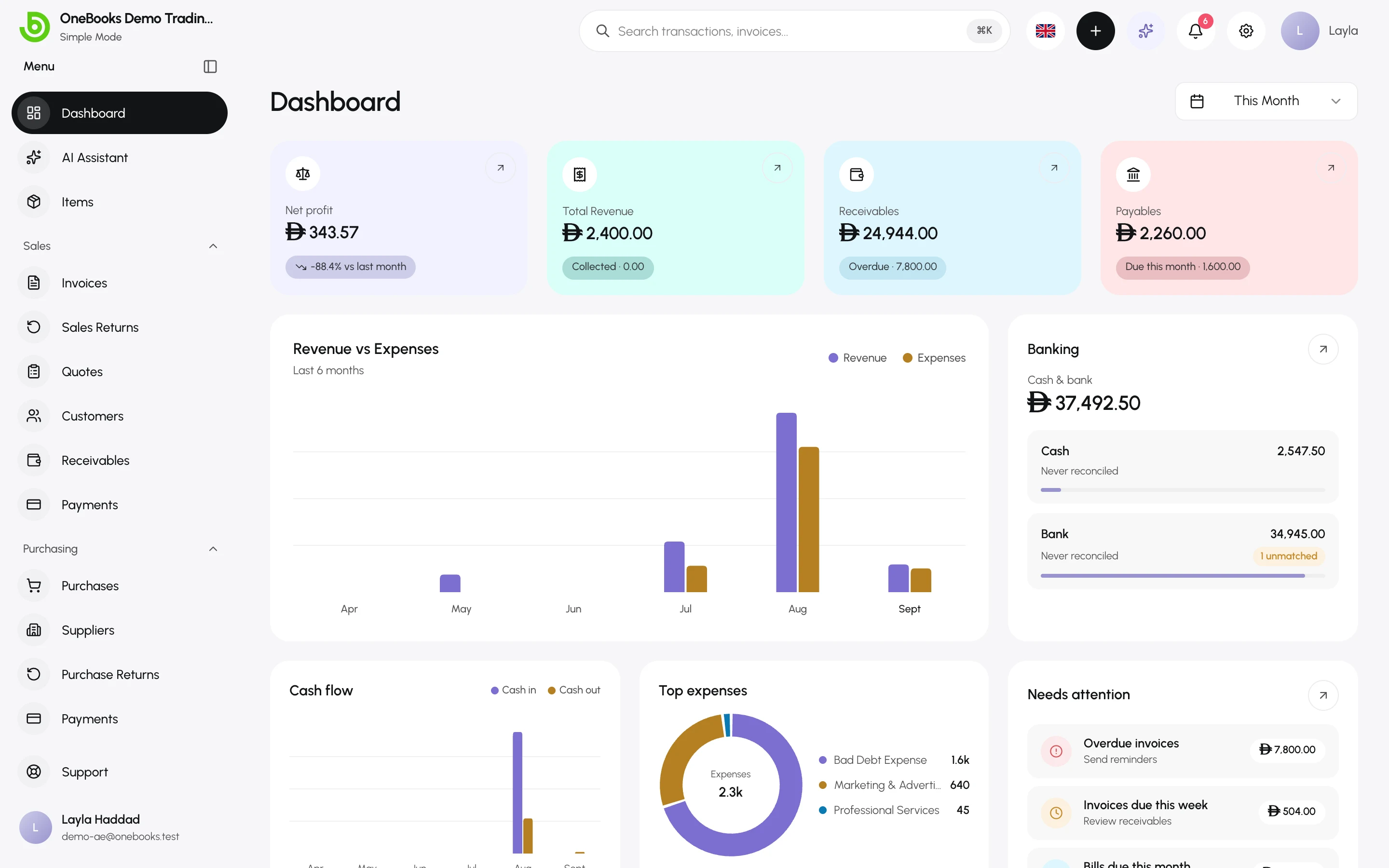
Section titled “How the product is organised”The left sidebar mirrors the sections of this documentation:
| Area | What lives there |
|---|---|
| Dashboard | Revenue, cash position, receivables and payables at a glance. |
| AI Assistant | Ask questions about your books, draft documents, photograph receipts. |
| Items | Your catalog of goods and services with prices and tax defaults. |
| Sales | Invoices, sales returns (credit notes), quotes, customers, receivables, payments. |
| Purchasing | Purchases (bills), suppliers, purchase returns (debit notes), supplier payments, payables. |
| Expenses | Cash and bank expenses recorded straight against an expense account. |
| Accounting (Accountant mode) | Journal entries, contra transfers, chart of accounts, bank reconciliation. |
| Reports | Profit and loss, balance sheet, cash flow, trial balance and more. |
| Data | Import and export. |
| Apps | The App Marketplace, your installed apps, and integrations such as point-of-sale syncs. |
| ZATCA (Saudi Arabia only) | E-invoicing submissions dashboard. |
Settings, billing, users and support are reached from your user menu at the bottom of the sidebar.
Where to start
Section titled “Where to start”Create your accountSign up with email or Google and verify your address.
Choose your countrySets currency, decimals, tax name and default rate.
Set up your businessCompany profile, tax rates, fiscal year and preferences.
Your first invoiceCustomer → invoice → payment, with the accounting explained.
Migrating to OneBooksBring customers, suppliers, items, opening balances and Tally data.
How this documentation is written
Section titled “How this documentation is written”- Menu paths are written as Sales → Invoices. Button and field names are shown in bold exactly as they appear in the app.
- Pages that post to the ledger end with an Accounting effect note listing the exact accounts debited and credited, so an accountant can verify what the app does.
- Screenshots come from a demo business and are refreshed automatically when the app changes.
- Every page exists in English, Arabic and Spanish. Use the language switcher in the header.
Getting help
Section titled “Getting help”Use the in-app AI Assistant for “how do I…” questions — it searches this documentation and answers with links — or open a support request from Support in the sidebar. See Get support.