

OneBooks is an OAuth 2.0 provider. Two different kinds of app can ask for access to your business: partner apps — point-of-sale systems, partner tools and other products built on the developer platform — and AI clients such as Claude, ChatGPT and OpenClaw, which you connect yourself from inside OneBooks. Both go through the same consent screen, get only the scopes you approve, and can be cut off with one click.
Authorising an app
Section titled “Authorising an app”When an app asks to connect, OneBooks opens a consent page listing the app and the access it requests (for example View invoices, Create and modify invoices, View financial reports). Sign in if needed, choose the business, and select Approve or Deny. Access is tied to that business; switching your active business later requires a new consent.
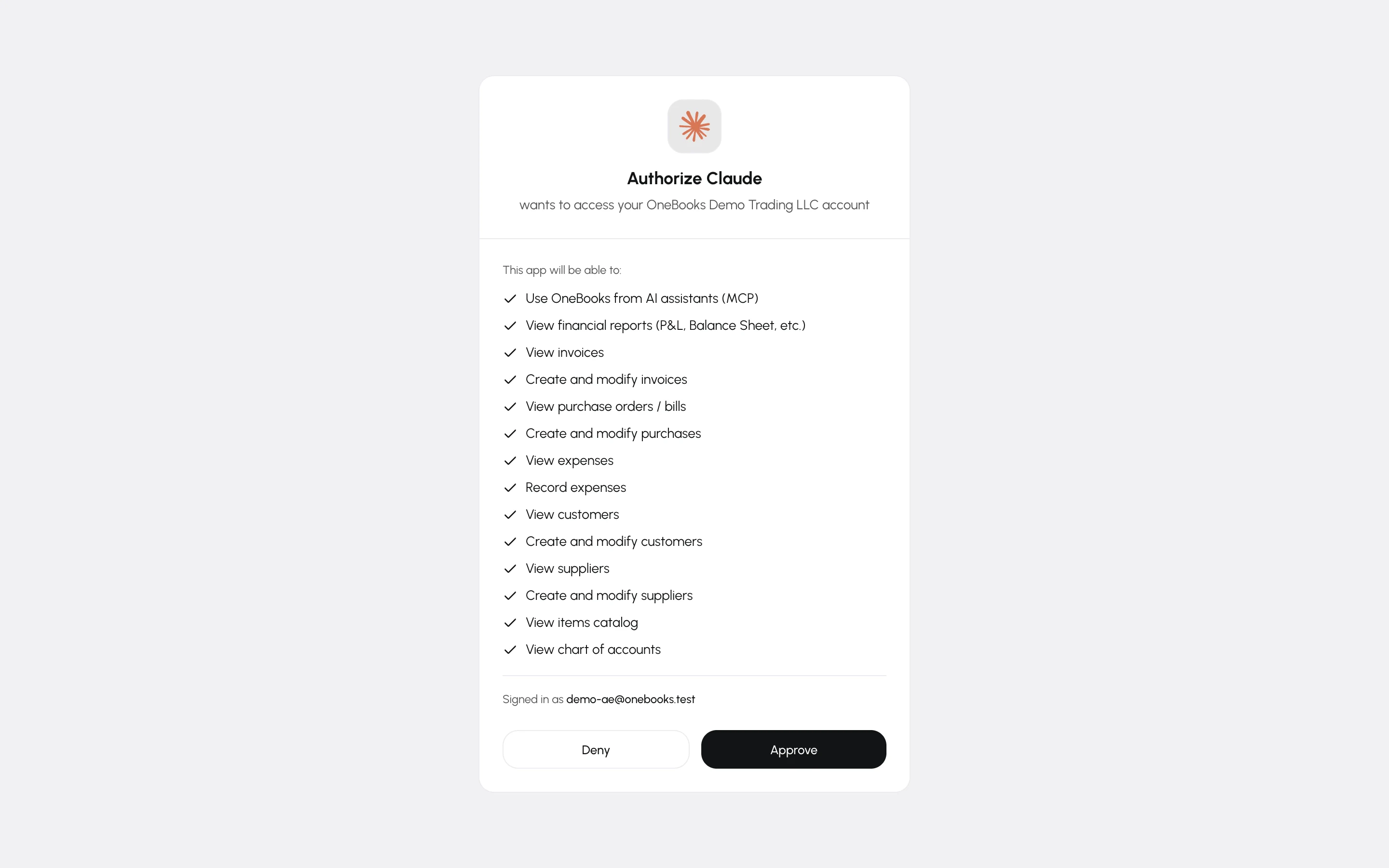
Approving a device
Section titled “Approving a device”Some native apps — a desktop or point-of-sale program with no browser of its own — show a short code instead of opening the consent page. Go to app.getonebooks.com/device, enter the code exactly as shown and select Continue, then check the app name and business and select Approve. The app notices within a few seconds; the page tells you when it is connected and you can close it.
Managing connected apps
Section titled “Managing connected apps”Apps → Integrations, with the Connected apps filter, lists every app you have authorised in this business — AI clients and partner apps alike — with the date access was granted and when it was last used.
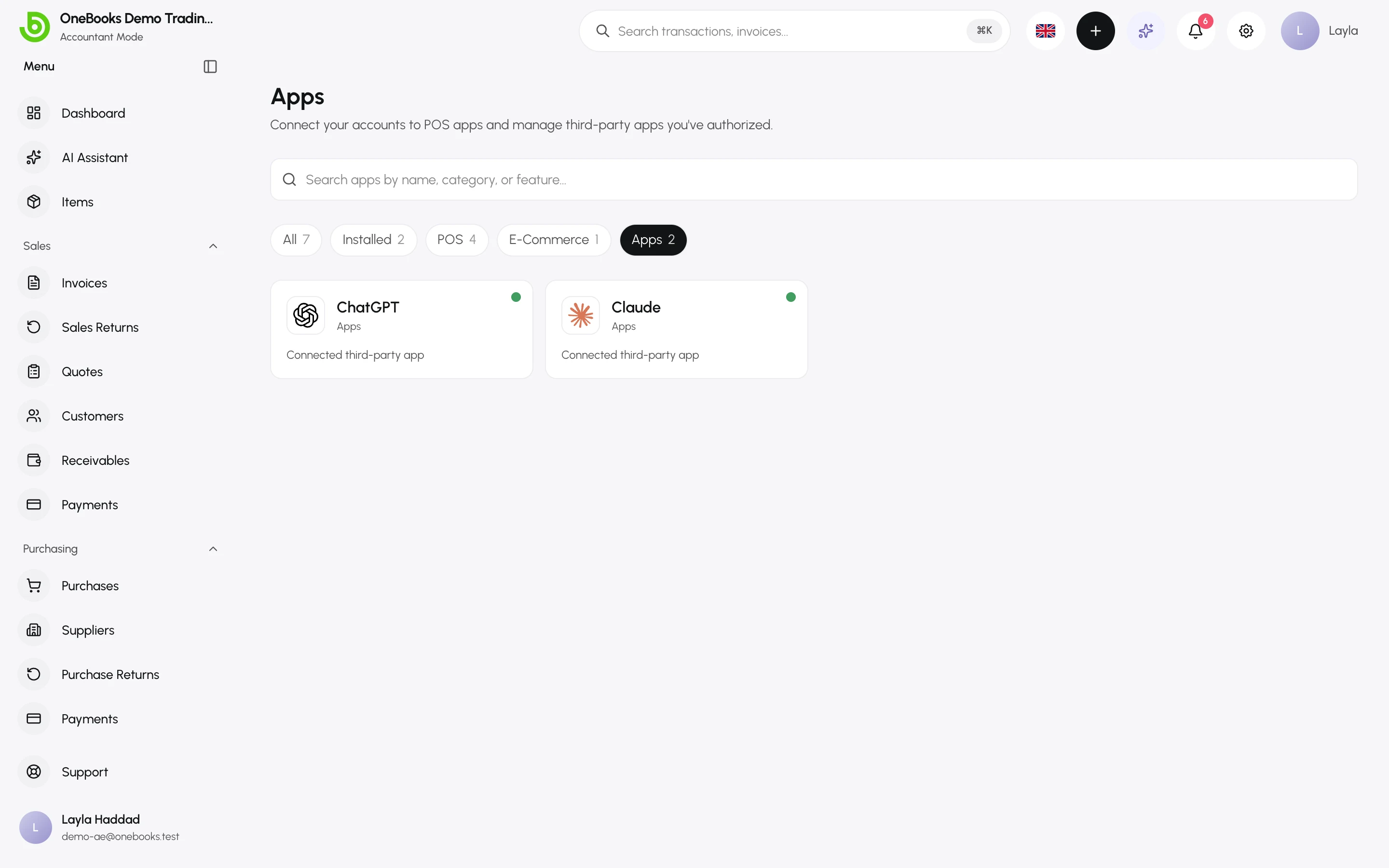
- Revoke removes the app’s access immediately; its tokens stop working.
- Revoking does not delete anything the app already created — those are normal documents in your books.
- For an app installed from the App Marketplace, revoking removes only your own authorisation. If nobody else in the business still has the app authorised, it is uninstalled, exactly as if you had selected Uninstall — see Manage installed apps.
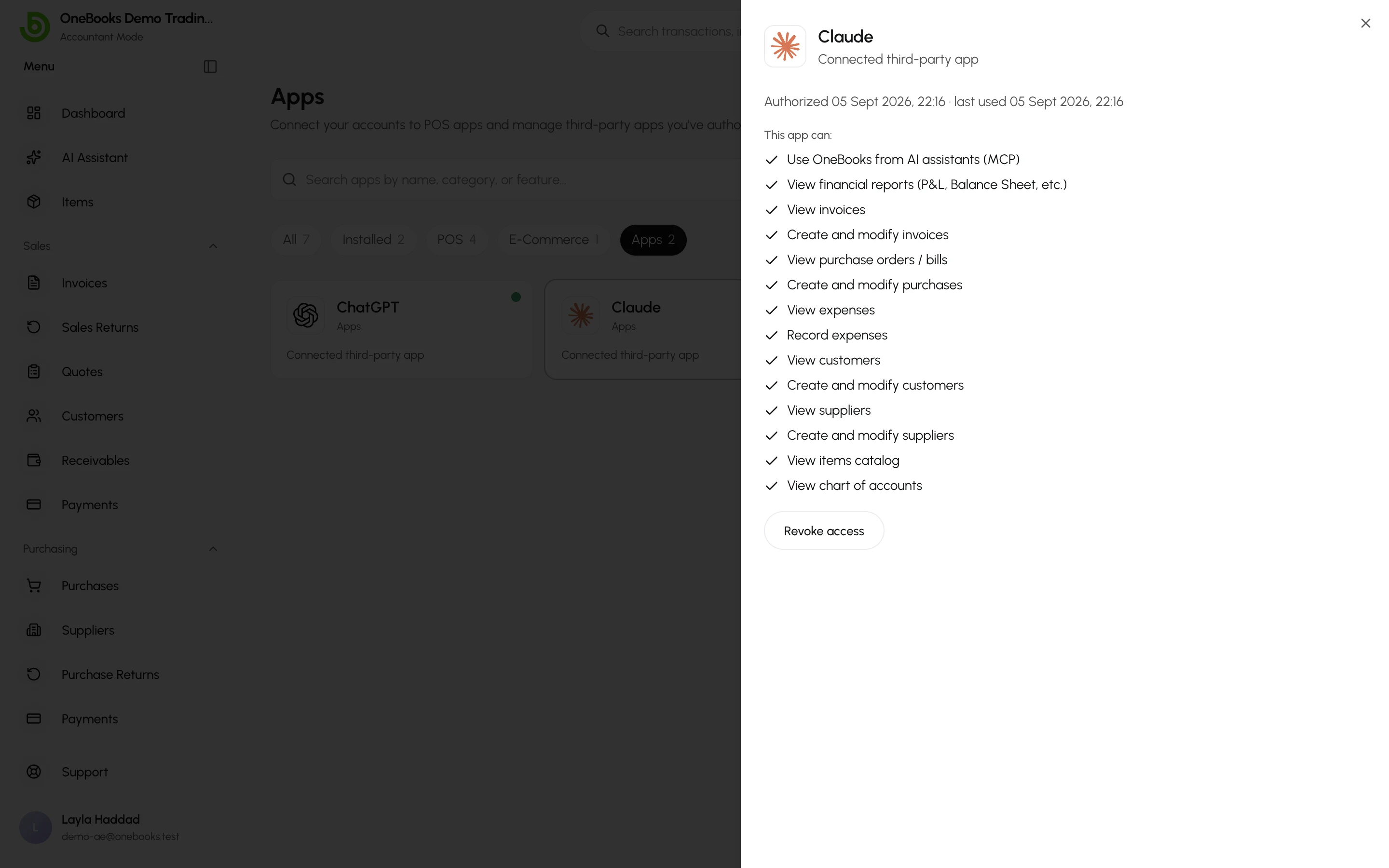
An app shows Suspended by OneBooks when OneBooks has suspended the app or its developer’s account, and No longer available when its developer has deleted or deactivated it — in place of the green Connected dot. Neither can use its access, but you can still revoke it.
Select a card to see exactly what the app can do and when it was last used.
Permissions still apply
Section titled “Permissions still apply”A connected app can never do more than the user who authorised it: scopes are checked on every request, and the user’s role and permissions are checked too. AI clients additionally go through the proposal flow — see Connect Claude, ChatGPT and other AI agents.
Building an app
Section titled “Building an app”Register on the developer portal at developer.getonebooks.com for OAuth credentials, sandbox businesses, scopes and the API reference — and to publish your app in the App Marketplace.