

Accounting → Journal Entries (Accountant mode) is the complete record of the books. Most entries are created by documents; you add manual entries for anything the documents do not cover — owner’s capital, depreciation, accruals, period-end adjustments.
Browse
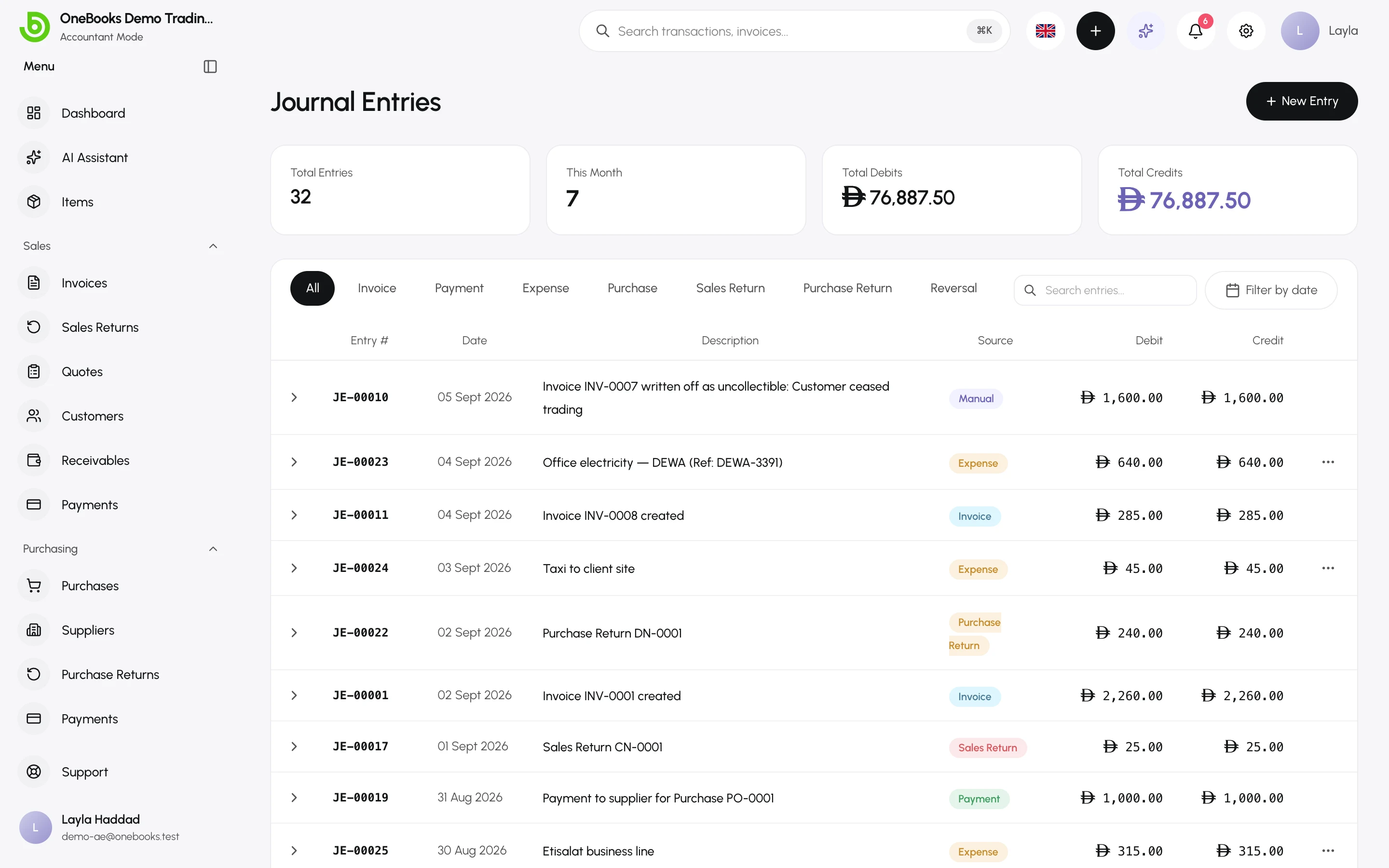
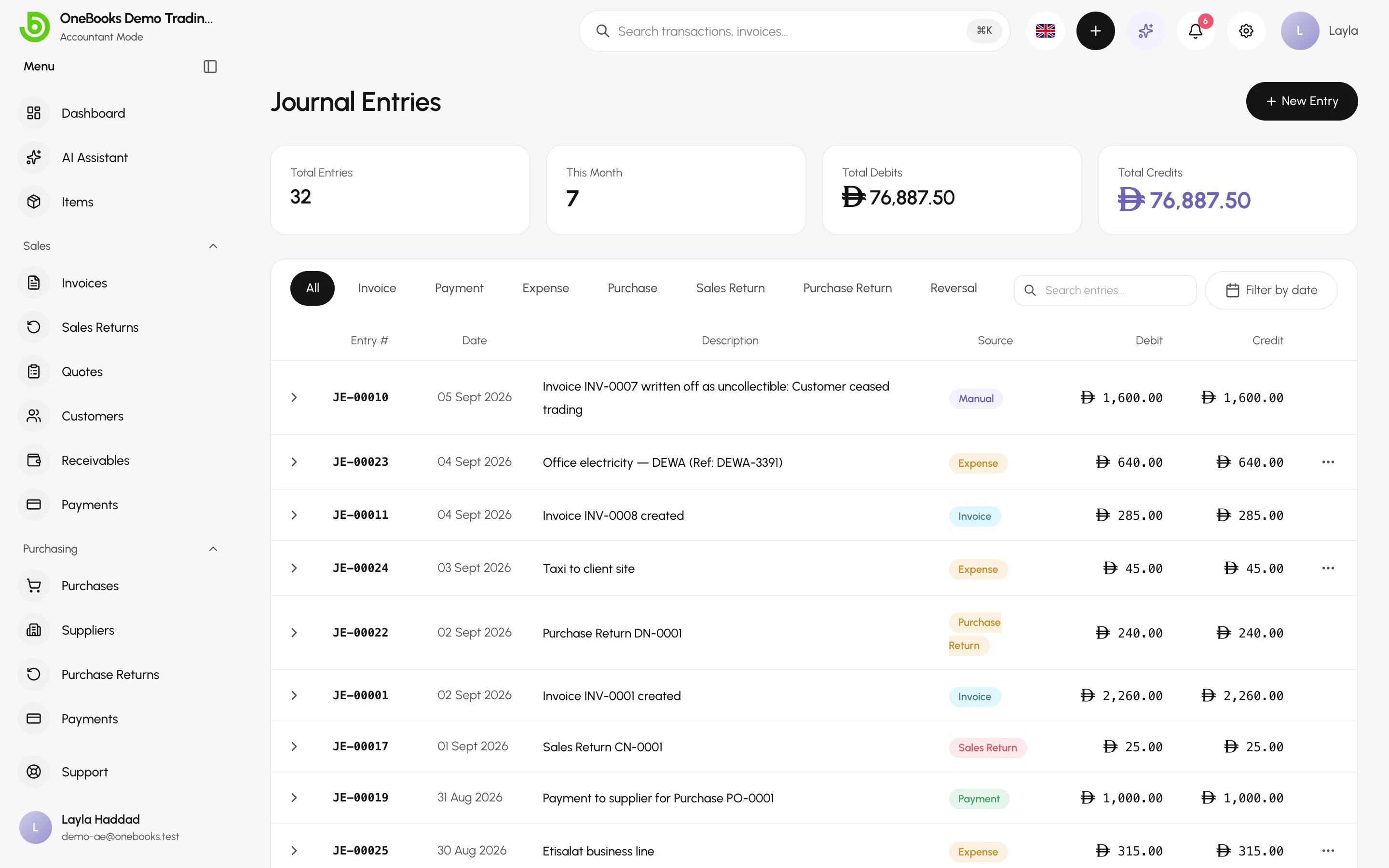
Section titled “Browse”Each row shows the date, description, source (invoice, payment, expense, purchase, contra, manual, reversal…), and its debit and credit total. Search by description or reference and filter by date. Select an entry to open its lines.
Create a manual entry
Section titled “Create a manual entry”- Select New Entry.
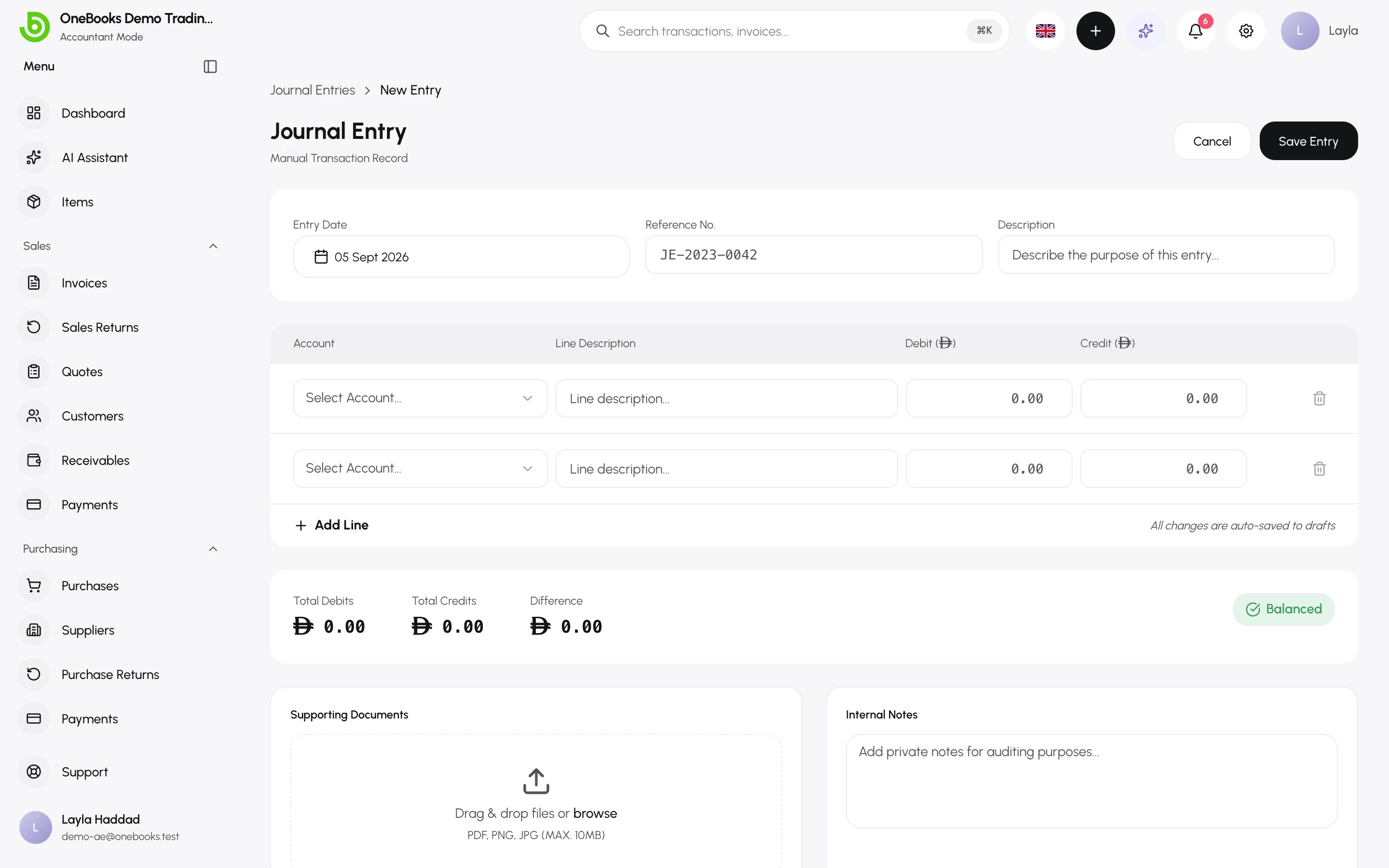
- Set the entry date (it must fall in an open period and not in the future), a reference and a description.
- Add at least two lines: pick an account and enter either a debit or a credit on each line. The Difference shows what is still unbalanced.
- Attach supporting documents if you like.
- Select Save Entry. The entry is rejected unless debits equal credits.
Unsaved manual entries are kept as drafts on this device until you save them.
Examples
Section titled “Examples”| Purpose | Debit | Credit |
|---|---|---|
| Owner puts money in | 1210 Bank | 3000 Owner’s Capital |
| Monthly depreciation | 5800 Depreciation | 1500 Fixed Assets |
| Bank charges seen on the statement | 5900 Other Expenses | 1210 Bank |
| Closing stock at period end (see Inventory fields) | Inventory asset account | 5000 Cost of Goods Sold |
Reverse an entry
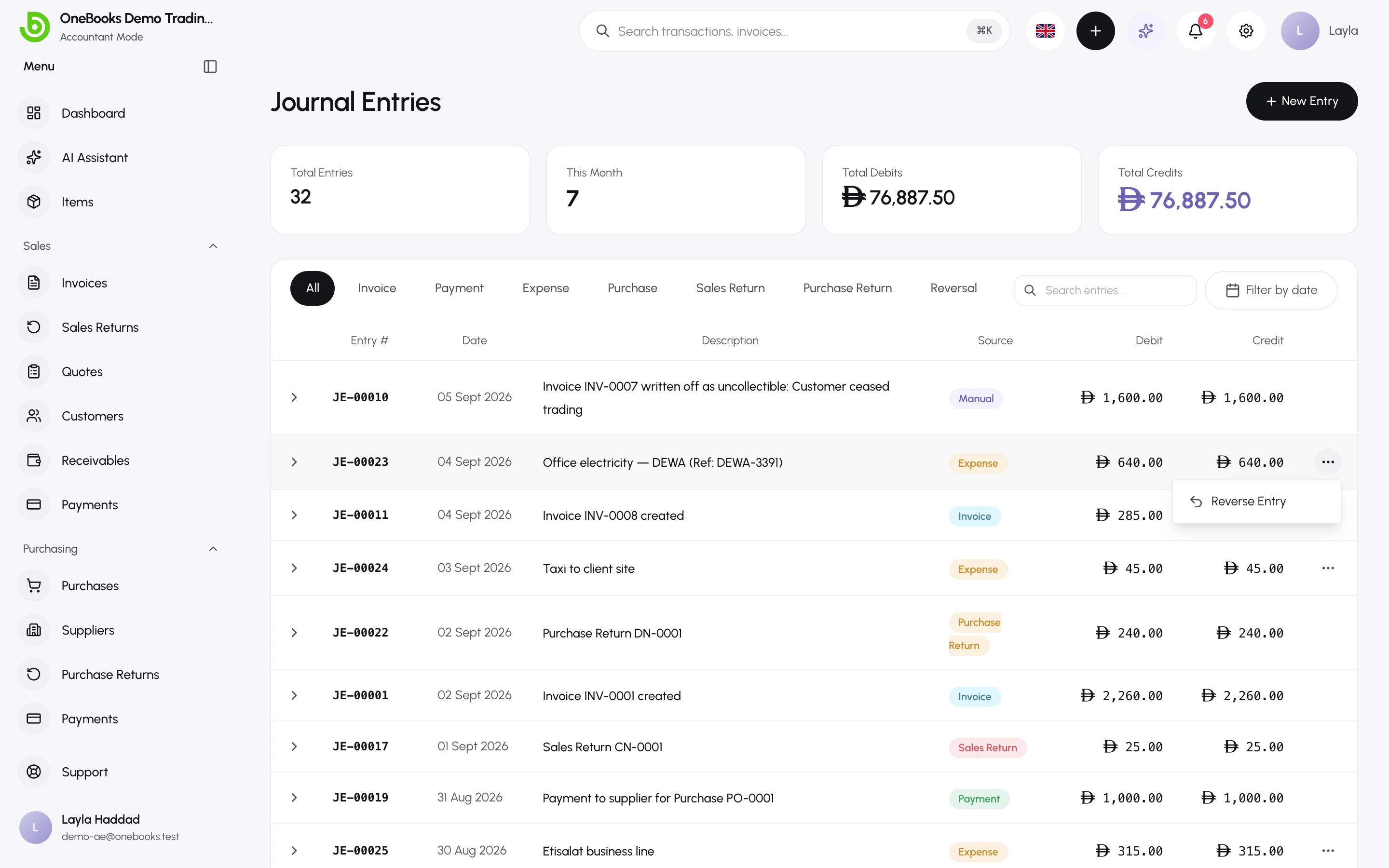
Section titled “Reverse an entry”Open the entry’s actions and select Reverse Entry. OneBooks posts a new entry with debits and credits swapped, dated in the original period if it is still open (otherwise today), and marks the original as reversed. Nothing is edited or deleted.
- Entries cannot be dated in a locked or closed fiscal year, in the future, or before the business’s start date.
- Archived accounts cannot receive new lines.
- Manual entries require the journal.create permission; reversing requires journal.reverse.